
1. Selelekela
Thank you for choosing the InFocus P120 INL412 Multimedia Projector. This manual provides essential information for the safe and efficient operation of your projector. Please read it thoroughly before using the device and retain it for future reference. The InFocus P120 INL412 is designed for versatile multimedia presentations, offering clear and vibrant images for various applications.
2. Boitsebiso ba Tšireletseho
To ensure safe operation and prevent damage to the projector, please observe the following safety precautions:
- Do not block the ventilation openings. Ensure adequate space around the projector for proper airflow to prevent overheating.
- Qoba ho sheba ka kotloloho lense ea projeke ha lamp e butsoe, kaha khanya e khanyang e ka baka tšenyo mahlong.
- Do not place the projector on an unstable cart, stand, or table. The projector may fall, causing serious injury to a child or adult, and serious damage to the unit.
- Disconnect the power cord from the wall outlet if the projector will not be used for an extended period.
- Romela litšebeletso tsohle ho basebetsi ba tšoanelehang ba litšebeletso. U se ke ua leka ho bula kapa ho lokisa projektara ka bouena.
- Keep the projector away from water or moisture. Do not expose it to rain or immerse it in liquid.
- Use only the power cord supplied with the projector or an authorized replacement.
3. Likahare tsa Sephutheloana
Verify that all items listed below are included in your projector package:
- InFocus P120 INL412 Multimedia Projector
- Mohala oa Matla
- Taolo ea Remoutu e nang le Battery
- Cable ea VGA
- Bukana ea mosebelisi (tokomane ena)
- Tataiso ea ho Qala ka Potlako
4. Sehlahisoa Overview
Familiarize yourself with the main components of your InFocus P120 INL412 projector.
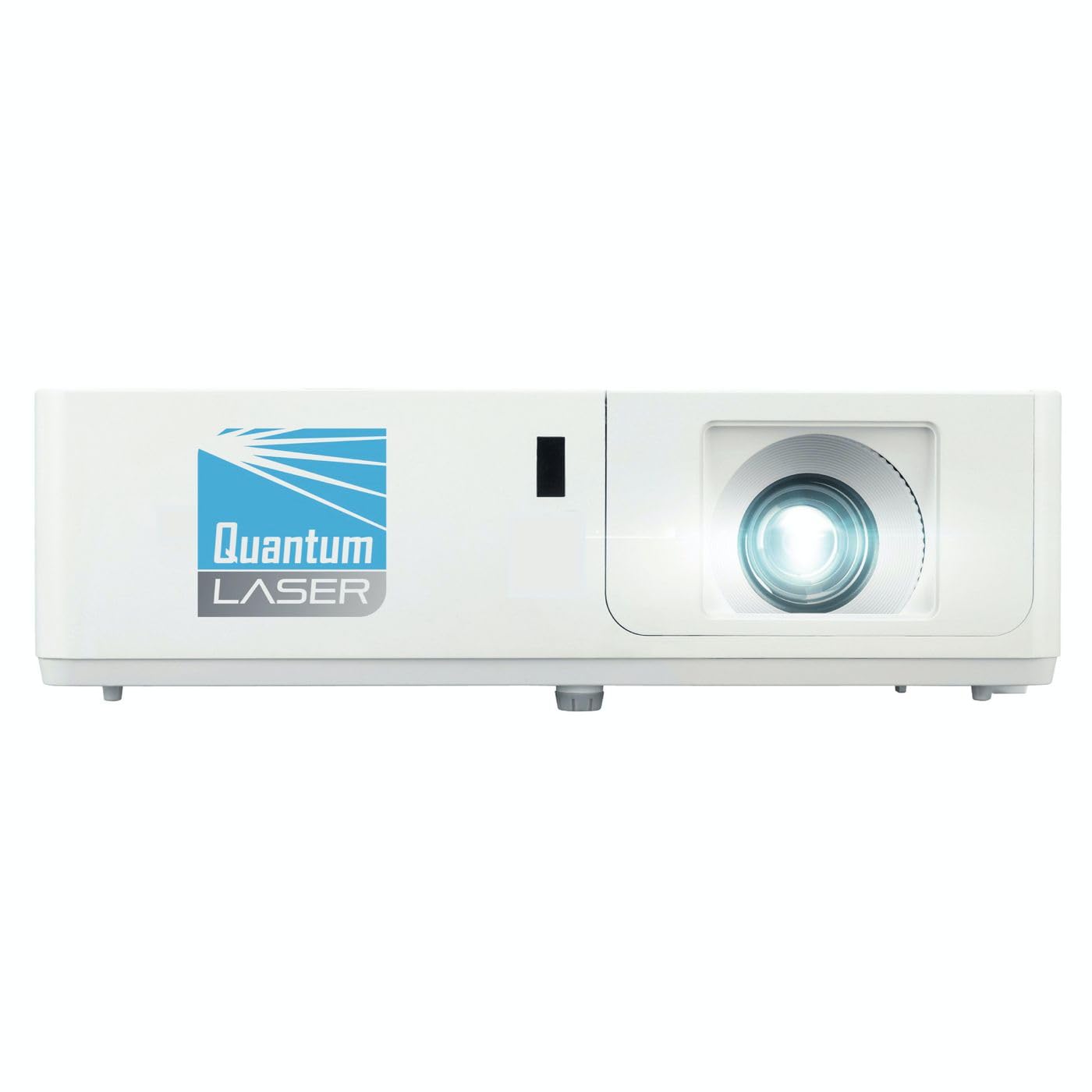
Setšoantšo sa 1: Pele view of the InFocus P120 INL412 Multimedia Projector, showing the lens and ventilation grilles.
4.1 Panel e ka pele
- Projection Lens: E ntša setšoantšo skrineng.
- Ring ea ho tsepamisa maikutlo: Adjusts the clarity of the projected image.
- Atometsa Ring: Adjusts the size of the projected image.
- Seamohedi sa IR: E amohela matšoao ho taolo e hole.
4.2 Panel e holimo
- Lekhotla la taolo: Buttons for power, menu navigation, source selection, and keystone correction.
- Mabone a Indicator: Display the projector's status (e.g., power, lamp, temperature).
4.3 Rear Panel (Connectivity)
- Keletso ea HDMI: Connects to HDMI-enabled devices (laptops, Blu-ray players).
- Ho kenya VGA: Connects to computers with VGA output.
- Boema-kepe ba USB: For service or connecting USB devices (if supported by model).
- Audio In/out: Bakeng sa ho hokahanya mehlodi ya modumo ya kantle kapa dibui.
- Inlet ea Matla: E hokela thapo ea motlakase.
5. Seta
Latela mehato ena bakeng sa ho seta ha projeke ea hau ea pele:
- Sebaka: Place the projector on a stable, flat surface or mount it securely. Ensure the projector is positioned at an appropriate distance from the screen to achieve the desired image size.
- Khokelo ea Matla: Connect the power cord to the projector's power inlet and then to a grounded electrical outlet.
- Hokela Sesebediswa sa Mohlodi: Connect your source device (e.g., laptop, DVD player) to the projector using an appropriate cable (HDMI, VGA, etc.). Ensure the cable is securely connected to both the source and the projector.
- Matlafatsa: Press the power button on the projector's control panel or the remote control to turn on the projector. The power indicator light will illuminate.
- Adjust Focus and Zoom: Once an image is projected, rotate the focus ring on the lens until the image is sharp and clear. Use the zoom ring to adjust the image size to fit your screen.
- Tokiso ea Keystone: If the image appears trapezoidal, use the keystone correction function (either via buttons on the projector/remote or through the on-screen menu) to square the image.
6. Litaelo tsa Ts'ebetso
6.1 Ho Bulela/Ho tima
- Ho Matlafatsa: Press the power button once. The projector will go through a warm-up sequence.
- Ho tima: Press the power button twice. The first press will prompt a shutdown confirmation; the second press will initiate shutdown. Allow the projector to cool down completely before unplugging.
6.2 Khetho ea Mohloli
Press the 'Source' button on the projector or remote control to cycle through available input sources (HDMI, VGA, etc.) until your desired source is displayed.
6.3 Menu Navigation
Press the 'Menu' button to access the on-screen display (OSD) menu. Use the arrow buttons to navigate through options and 'Enter' or 'OK' to select. Use the 'Exit' or 'Menu' button to close the OSD.
- Litlhophiso tsa Litšoantšo: Adjust brightness, contrast, color, aspect ratio, and picture mode.
- Litlhophiso tsa Pontšo: Configure keystone, projection mode (front/rear, desktop/ceiling), and resolution.
- Litlhophiso tsa molumo: Control volume and audio output options.
- Litlhophiso tsa Sistimi: Manage language, timer, power-saving modes, and factory reset.
7. Tlhokomelo
Tlhokomelo e tloaelehileng e netefatsa ts'ebetso e ntle ka ho fetisisa 'me e eketsa nako ea bophelo ba projektha ea hau.
- Tlhoekiso ea Lense: Gently wipe the projector lens with a soft, lint-free cloth specifically designed for optical surfaces. Do not use abrasive cleaners or excessive force.
- Tlhoekiso ea Khabinete: Use a soft, dry cloth to clean the projector's exterior. For stubborn marks, dampen the cloth slightly with water. Avoid using harsh chemicals.
- Ho Hloekisa Sefe ea Moea/Ho Fetola Sebaka: Check the air filter periodically. If your model has a removable filter, clean it with a soft brush or vacuum cleaner. Replace the filter as recommended in the on-screen menu or when visibly dirty to maintain proper ventilation.
- Lamp Phetoho: Morero oa lamp e na le nako e lekanyelitsoeng ea bophelo. Ha lamp life indicator appears, or the image brightness significantly decreases, replace the lamp according to the instructions provided in the full service manual or by a qualified technician. Always allow the projector to cool down completely before attempting lamp phetoho.
8. Ho rarolla mathata
Sheba lethathamo le ka tlase bakeng sa litaba tse tloaelehileng le tharollo ea tsona:
| Bothata | Lebaka le ka khonehang | Tharollo |
|---|---|---|
| Ha ho setšoantšo se hlahang | Power cord disconnected, incorrect input source, source device off. | Check power connections. Select correct input source. Ensure source device is powered on. |
| Setšoantšo se hlakile | Lens out of focus, incorrect projection distance. | Adjust the focus ring on the lens. Reposition the projector closer or further from the screen. |
| Setšoantšo ke trapezoidal | Projector ha e shebane le skrine. | Use keystone correction (manual or automatic) to square the image. |
| Projector e chesa haholo 'me ea koala | Moea o koetsoeng, sefe ea moea e litšila. | Ensure clear space around vents. Clean or replace the air filter. |
| Remote control ha e sebetse | Dead batteries, obstruction between remote and projector, incorrect angle. | Replace batteries. Ensure clear line of sight to IR receiver. Point remote directly at the projector. |
9. Litlhaloso
Key technical specifications for the InFocus P120 INL412 Multimedia Projector:
| Sebopeho | Tlhaloso |
|---|---|
| Nomoro ea Mohlala | P120 INL412 (Item model number: 7296144) |
| Mofuta oa Pontšo | DLP |
| Qeto ea Naha | 1280 x 800 |
| Maximum Display Resolution | 1280 x 800 |
| Theknoloji ea Khokahano | USB (and other standard inputs like HDMI, VGA) |
| Litekanyo tsa Sehlahisoa | 5.25 x 0.31 x 1.66 lisenthimithara |
| Boima ba Ntho | 6.6 liponto |
| Moetsi | Ho Tsepamisa Maikutlo |
10. Tiisetso le Tšehetso
The InFocus P120 INL412 Multimedia Projector comes with a standard manufacturer's warranty. Please refer to the warranty card included in your package for specific terms and conditions, including warranty duration and coverage details. For technical support, service, or further inquiries, please visit the official InFocus support websebaka kapa ikopanye le lefapha la litšebeletso tsa bareki.
Bakeng sa tlhaiso-leseling ea morao-rao ea tšehetso, ka kopo etela: www.infocus.com/support