
1. Selelekela
Kea leboha ha u rekileasing the Edifier X3s True Wireless Stereo Earbuds. This manual provides detailed instructions on how to set up, operate, and maintain your earbuds to ensure optimal performance and longevity. Please read this manual thoroughly before use.

Image: The Edifier X3s earbuds, one removed from the open charging case, showcasing moralo oa tsona o moqotetsane.
2. Likahare tsa Sephutheloana
- Edifier X3s True Wireless Earbuds (Left and Right)
- Nyeoe ea ho tjhaja
- USB Charging Cable
- Malebela tsebe (boholo bo fapaneng)
- Bukana ea Mosebelisi
3. Seta
3.1 Ho tjhaja li-Earbuds le Case
Pele o sebelisoa ka lekhetlo la pele, tjhaja li-earbud le mokotla oa ho tjhaja ka botlalo.
- Kenya li-earbud ka har'a lebokose la ho tjhaja. Netefatsa hore li lutse hantle; mabone a sesupo a li-earbud a tla bonesa.
- Connect the charging case to a power source using the provided USB cable. The indicator light on the charging case will show charging status.
- A full charge for the charging case typically takes approximately 8 hours. The earbuds will charge automatically when placed in the case.
3.2 Ho hokahanya ha Bluetooth
Follow these steps to pair your Edifier X3s earbuds with your device:
- Netefatsa hore li-earbud li tjhajiloe.
- Bula lebokose la ho tjhaja. Li-earbud li tla kena ka bohona mokhoeng oa ho kopanya, o bontšitsoeng ke lebone le benyang li-earbud.
- Sesebedisweng sa hao (smartphone, tablet, jj.), bulela Bluetooth mme o batle disebediswa tse ntjha.
- Select "EDIFIER X3s" from the list of available devices.
- Once connected, a voice prompt will confirm successful pairing, and the earbud indicator lights will turn off.
Li-earbud lia tšehetsa TrueWireless Mirroring, allowing seamless switching between single and dual earbud use.
4. Litaelo tsa Ts'ebetso
4.1 Taolo ea ho ama
The Edifier X3s earbuds feature intuitive touch controls on each earbud. Refer to the diagram below for specific functions:

Image: A diagram illustrating the touch control functions for the left and right Edifier X3s earbuds.
- Single Tap (L/R): Play/Pause music, Answer an Incoming Call
- Double Tap (L): Pina e Fetileng
- Double Tap (R): Sefela se Latelang
- Triple Tap (L): Switch On Game Mode
- Triple Tap (R): Kenya Voice Assistant
- Long Press for 2-3 Seconds (L/R): Hang Up/Reject a Call
- Long Press (L): Phatlalatso ea Phahamiso
- Long Press (R): Phahamisa Phahamiso
4.2 Mokhoa oa ho bapala
To enhance your gaming experience, the Edifier X3s features a dedicated Game Mode. Triple-tap the letsetsoa earbud to activate or deactivate Game Mode. This mode optimizes audio-visual synchronization for gaming.
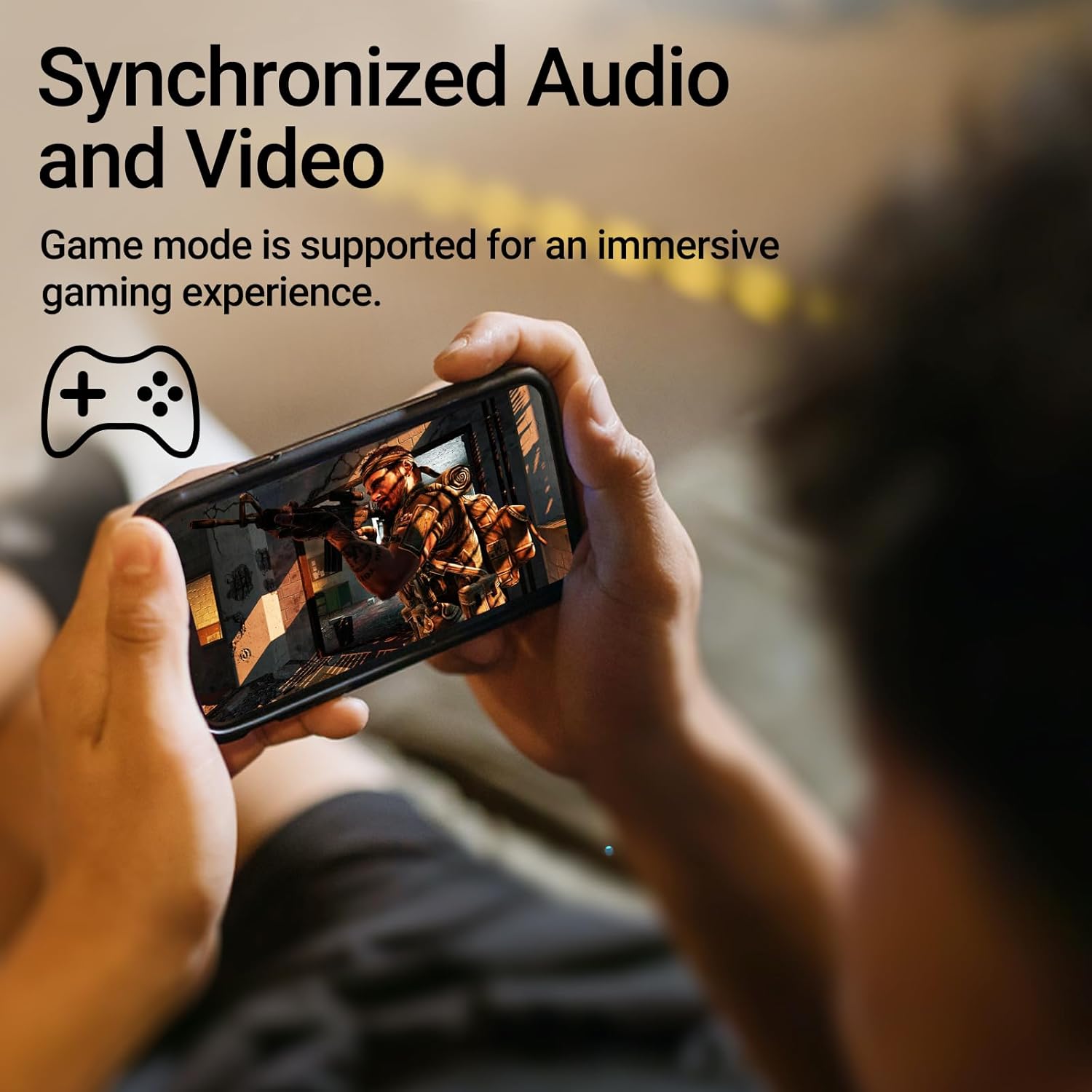
Image: A person holding a smartphone, playing a game, with the text "Synchronized Audio and Video. Game mode is supported for an immersive gaming experience."
5. Likarolo tsa Bohlokoa
- True Wireless Experience: Bluetooth V5.2 with Qualcomm aptX audio decoding for high-fidelity sound and stable connections.
- Nako e Ekelitsoeng ea ho Bapala: Up to 28 hours of total playtime, with 8 hours from the earbuds and an additional 20 hours from the charging case.
- Superior Call Clarity: Equipped with Qualcomm cVc 8.0 noise cancellation technology for crystal clear calls.
- IP55 Rated Protection: Dust and water resistance make these earbuds suitable for outdoor activities and various weather conditions.
- Moralo o Matle le o bobebe: Weighing only 62g, these earbuds provide a secure and comfortable fit for extended wear.

Image: A close-up of the Qualcomm aptX QCC3040 chip, highlighting Bluetooth V5.2 with aptX audio decoding for lossless audio transmission.

Image: Hands holding the Edifier X3s charging case, with an overlay indicating "Up to 28 hours of playback in total: 8 hours (earbuds), 20 hours (charging case)".

Image: A graphic illustrating cVc 8.0 noise reduction, showing how ambient noise is reduced while voice remains clear during calls.

Image: A woman exercising, with an overlay indicating "Dust and water resistant. Feel free to use them at the gym or on a rainy day. IP55-Rated."
6. Tlhokomelo
6.1 Ho hloekisa
- Hloekisa li-earbud le mokotla oa ho tjhaja khafetsa ka lesela le bonolo, le omeletseng, le se nang lint.
- Tlosa lintlha tsa litsebe 'me u li hloekise ka sesepa le metsi a bonolo ha ho hlokahala. Netefatsa hore li omme ka ho feletseng pele u li kopanya hape.
- Sebelisa swab ea k'hothone ho hloekisa ka bonolo likhokahano tsa ho tjhaja li-earbud le kheseng.
6.2 Polokelo
- Ha li sa sebelisoe, boloka li-earbud ka mokotlaneng oa tsona oa ho tjhaja ho li sireletsa le ho li boloka li tjhajiloe.
- Boloka sebakeng se pholileng, se omileng hole le mocheso o feteletseng le khanya ea letsatsi e tobileng.
6.3 Ho hanana le Metsi le Lerōle
The earbuds are IP55 rated, meaning they are protected against dust ingress and low-pressure water jets from any direction. While they can withstand sweat and light rain, they are not designed for submersion in water. Do not use them while swimming or showering.
7. Ho rarolla mathata
- Li-earbud ha li kopane: Ensure both earbuds are in the charging case, then open the lid to initiate pairing mode. Check your device's Bluetooth settings and try reconnecting.
- Ke earbud e le 'ngoe feela e sebetsang: Kenya li-earbud ka bobeli ka har'a lebokose la ho tjhaja, koala sekoahelo, ema metsotsoana e seng mekae, ebe u li bula hape. Hangata sena se li hokahanya hape.
- Ha ho molumo: Check the volume level on both your device and the earbuds. Ensure the earbuds are properly paired and connected.
- Mathata a ho lefisa: Verify that the charging cable is securely connected and the power source is active. Clean the charging contacts on the earbuds and case.
- Boleng bo fokolang ba mohala: Ensure the earbuds are clean and positioned correctly in your ears. Check for any obstructions to the microphone.
8. Litlhaloso
- Mohlala: EDIFIER X3S
- Khokahano: Waelese (Bluetooth V5.2)
- Tlhaloso ea Molumo: Qualcomm aptX
- Ho hlakola lerata: Qualcomm cVc 8.0 (for calls)
- Nako ea ho bapala: Earbuds: 8 hours, Total with Charging Case: 28 hours
- Nako ea ho tjhaja (Nyee): Hoo e ka bang lihora tse 8
- Metsi/Lerōle: IP55 E hlophisitsoe
- Mokhoa oa ho laola: Thetsa
- Boima ba 'mele: 62 Gram (kakaretso)
- Boitsebiso: Polycarbonate (PC), Thermoplastic Elastomer (TPE)
- Lisebelisoa tse Lumellanang: Smartphones, Gaming Devices, Tablets
9. Tiisetso le Tšehetso
For warranty information and customer support, please refer to the warranty card included with your product or visit the official Edifier websebaka. Boloka bopaki ba hau ba theko bakeng sa likopo life kapa life tsa waranti.