
1. Selelekela
Kea leboha ha u rekileasing the Comix S360A Cross Cut Paper Shredder. This manual provides essential information for the safe and efficient operation, maintenance, and troubleshooting of your shredder. Please read these instructions carefully before use and retain them for future reference.
The Comix S360A is designed for secure disposal of sensitive documents, credit cards, and CDs. It features a cross-cut mechanism for enhanced security and includes a jam-proof system with reverse and forward functions to clear paper jams. An energy-saving mode ensures optimal efficiency during operation.
2. Litaelo tsa Bohlokoa tsa Tšireletso
WARNING: Failure to follow these safety instructions may result in fire, electric shock, or injury.
- Boloka bana le liphoofolo tse ruuoang lapeng hole le shredder.
- Keep loose clothing, jewelry, hair, and ties away from the paper entry slot.
- Do not insert fingers or other body parts into the paper entry slot.
- U se ke ua fafatsa lihlahisoa kapa litlolo tse tukang ka har'a sesebelisoa sa ho shrewder.
- Do not shred metal objects, wet paper, or adhesive labels.
- Always unplug the shredder when not in use or before cleaning.
- O se ke wa sebedisa sesebelisoa sa ho qhaqha haeba thapo ya motlakase e senyehile. Ikopanye le tshehetso ya bareki bakeng sa thuso.
- Netefatsa hore sesebelisoa sa ho shredder se behiloe holim'a sebaka se tsitsitseng, se bataletseng.
- Do not overload the shredder beyond its specified sheet capacity.
3. Likahare tsa Sephutheloana
Ka kopo, sheba sephutheloana sa lintho tse latelang:
- Comix S360A Shredder Head
- Waste Bin (13 Liter capacity)
- Buka ea litaelo (tokomane ena)
4. Seta
- Unpack the Shredder: Tlosa ka hloko likarolo tsohle tsa sephutheloana.
- Place the Waste Bin: Position the waste bin on a flat, stable surface.
- Mount the Shredder Head: Carefully place the shredder head onto the top of the waste bin, ensuring it is securely seated. The shredder will not operate if the head is not correctly positioned.
- Kopanya Matla: Hokela thapo ea motlakase sebakeng se tloaelehileng sa motlakase.
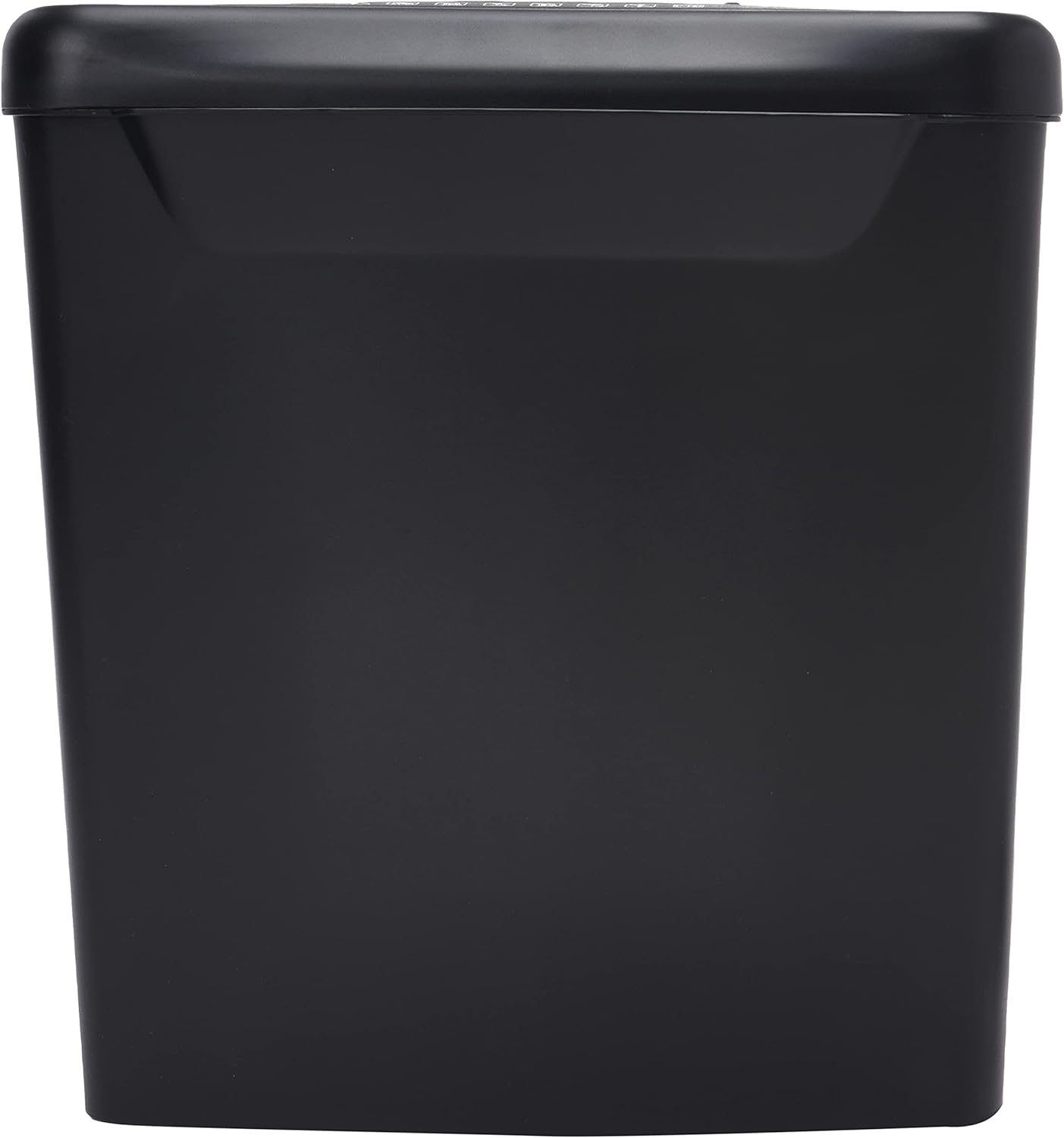
Setšoantšo: Lehlakore view of the Comix S360A shredder bin, showing its black exterior and compact design. The shredder head is not visible in this image.
5. Litaelo tsa Ts'ebetso
5.1 Laola Phetoho
The shredder features a slide switch with three positions:
- KETSAHALO: The shredder will automatically start when paper is inserted and stop when shredding is complete. This is the normal operating mode.
- TIMA: The shredder is powered off. Always set the switch to OFF when emptying the bin or when the shredder is not in use.
- REV (Khutla): This position reverses the shredder blades to help clear paper jams.

Setšoantšo: Holimo view of the shredder head, highlighting the paper entry slot, the three-position control switch (Rev, OFF, Auto), and various safety warning icons.
5.2 Shredding Documents
- Ensure the shredder head is securely placed on the waste bin.
- Hokela thapo ea motlakase sebakeng sa motlakase.
- Set the control switch to MOSEBETSI.
- Insert up to 8 sheets of 70gsm A4 paper into the paper entry slot. The shredder will start automatically.
- For credit cards or CDs, use the dedicated slot if available (refer to product specifications for capability).
- The shredder will stop automatically once the shredding process is complete.
5.3 Mosebetsi Cycle
The Comix S360A has a continuous run time of metsotso e 2, followed by a rest time of metsotso e 40. Exceeding the run time may cause the shredder to overheat and automatically shut off. Allow the shredder to cool down for the specified rest time before resuming operation.
6. Tlhokomelo
6.1 Ho Tlisa Moqomo oa Litšila
- Set the control switch to TLOA.
- Unplug the shredder from the power outlet.
- Lift the shredder head off the waste bin.
- Dispose of the shredded paper.
- Replace the shredder head securely onto the waste bin.
- Plug the shredder back into the power outlet.
6.2 Oiling the Shredder Blades
Regular oiling of the shredder blades is recommended to maintain optimal performance and extend the life of your shredder. Use shredder oil specifically designed for paper shredders.
- Apply a thin line of shredder oil across the paper entry slot.
- Set the control switch to MOSEBETSI.
- Insert a sheet of paper to distribute the oil evenly across the blades.
- Repeat this process periodically, especially after emptying a full waste bin or if the shredder's performance decreases.
6.3 Ho hloekisa
Wipe the exterior of the shredder with a soft, dry cloth. Do not use abrasive cleaners or solvents. Ensure the shredder is unplugged before cleaning.
7. Ho rarolla mathata
| Bothata | Lebaka le ka khonehang | Tharollo |
|---|---|---|
| Shredder ha e qale. |
|
|
| Jeme ea pampiri. |
|
|
| Shredder e emisa nakong ea ts'ebetso. |
|
|
8. Litlhaloso
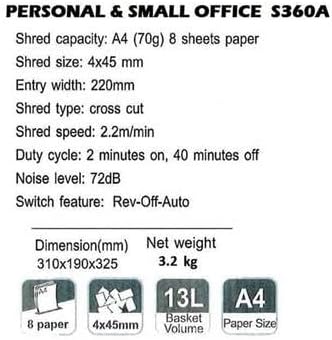
Image: Technical specifications sheet for the Comix S360A, detailing performance metrics and physical attributes.
- Mohlala: S360A
- Mofuta oa Shred: Sefapano
- Boholo ba Shred: 4 x 45 limilimithara
- Shred Capacity (A4, 70g): 8 maqephe
- Bophara ba ho Kena: 220 limilimithara
- Shred Speed: 2.2 m/min
- Bokhoni ba Bin ea Waste: 13 Lithara
- Mosebetsi Cycle: Metsotso e 2 Ho Buletsoe / Metsotso e 40 Ho tima
- Boemo ba Lerata: 72dB
- Switch Feature: Rev-Off-Auto
- Boholo ba Sehlahisoa: 310 x 190 x 325 mm (L x W x H)
- Boima bo kahare: 3.2 lik'hilograma
- Likarolo tse Khethehileng: Energy Saving Mode, Jam Pro, Quiet Operation
9. Tiisetso le Tšehetso
For warranty information or technical support, please refer to the warranty card included with your product or contact Comix customer service through their official website or the retailer where the product was purchased. Please have your model number (S360A) and purchase date available when contacting support.