
Selelekela
Thank you for choosing the Cecotec EnergySilence 1030 SmartExtreme Pedestal Fan. This fan is designed to provide powerful yet quiet air circulation with advanced features for enhanced comfort. It incorporates a highly efficient DC motor, offering 24 speed settings and 3 operational modes to suit various needs. Please read this manual carefully before use to ensure proper operation, maintenance, and safety.
Se ka Lebokoseng
- 'Mele oa Fane
- Remote Control
- Bukana ea Mosebelisi
Litaelo tsa Tšireletseho
- Kamehla ntsha fene ka har'a sokete ea motlakase pele u hloekisa kapa u etsa tlhokomelo efe kapa efe.
- O se ke wa kenya menwana kapa dintho leha e le dife ka hara grille ya fene ha e ntse e sebetsa.
- Keep the fan away from water or other liquids. Do not use in damp tikoloho.
- Ensure the power cord is not damaged or pinched. Do not operate the fan with a damaged cord or plug.
- Sesebelisoa sena ha sea rereloa ho sebelisoa ke batho (ho kenyeletsoa bana) ba nang le matla a fokotsehileng a 'mele, kutlo kapa kelello, kapa ba hlokang boiphihlelo le tsebo, ntle le haeba ba filoe tlhokomelo kapa taelo mabapi le tšebeliso ea sesebelisoa ke motho ea ikarabellang bakeng sa polokeho ea bona.
- Place the fan on a stable, flat surface to prevent it from tipping over.
- Do not cover the fan during operation.
Kopano le Setup
The Cecotec EnergySilence 1030 SmartExtreme fan requires minimal assembly. Carefully unpack all components. The main fan body, including the motor and blades, will need to be securely attached to the pedestal and base. Ensure all parts click into place or are tightened as per the visual instructions provided in the included manual. The fan features an adjustable telescopic pole, allowing you to set the height between 115 cm and 135 cm for optimal air distribution.

Litaelo tsa Ts'ebetso
Lekhotla la taolo
The fan features an intuitive control panel with an LED screen displaying the current settings.

- Konopo ea Matla (E BUTSWE/E TIMILOE): Tobetsa ho bulela kapa ho tima fan.
- Phetoho ea Potlako: Use the dedicated buttons or dial to cycle through 24 speed settings. The current speed will be shown on the LED display.
- Konopo ea Mokhoa: Press to switch between the three available modes: Eco, Sleep, and Turbo.
- Konopo ea Nako: Press to activate and set the timer for up to 18 hours.
- Button ea Oscillation: Press to enable or disable the automatic oscillation function.
Remote Control
The fan can also be conveniently operated using the included remote control.

- Mesebetsi yohle e fumanehang phanele ya taolo le yona e ka fihlellwa ka taolo ya remoutu.
- Ensure the remote control is pointed towards the fan's receiver for optimal response.
- E hloka libeteri tsa AAA (ha li kenyelelitsoe).
Modes and Speeds
The fan offers 24 speed settings and 3 distinct modes:
- Mokhoa oa Eco: Operates at a lower power consumption, ideal for energy saving.
- Mokhoa oa ho robala: Designed for quiet operation, gradually decreasing fan speed to provide a comfortable sleeping environment.
- Mokhoa oa Turbo: Provides maximum airflow for rapid cooling.
Mosebetsi oa nako
The programmable timer allows you to set the fan to operate for a specific duration, up to a maximum of 18 hours. Once the set time expires, the fan will automatically turn off.
Ho khaotsa
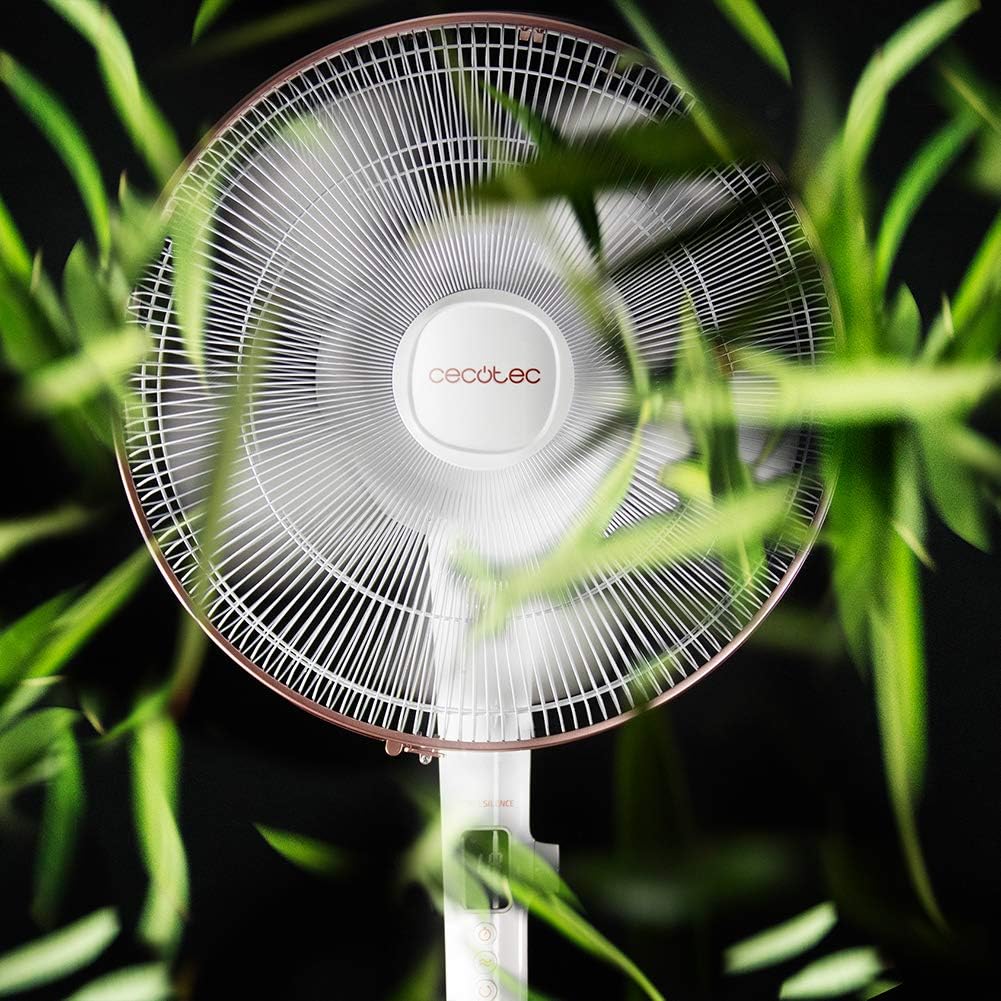
Activate the automatic oscillation function to distribute fresh air more widely across the room. This feature ensures a broader coverage area, enhancing overall comfort.
Tlhokomelo
Regular cleaning ensures optimal performance and extends the lifespan of your fan.
- Before cleaning, always unplug the fan from the power supply.
- Sebelisa bonolo, damp cloth to wipe down the exterior surfaces. Do not use abrasive cleaners or solvents.
- Periodically clean the fan blades and protective grilles to remove dust and debris. This can be done using a soft brush or a vacuum cleaner with a brush attachment.
- Ensure the fan is completely dry before plugging it back in.
Ho batle phoso
| Bothata | Lebaka le ka khonehang | Tharollo |
|---|---|---|
| Fane ha e bulele | No power supply; Power cord not properly connected; Fan is off. | Check power outlet; Ensure power cord is securely plugged in; Press the power button. |
| Moea o fokolang | Low speed setting; Dust accumulation on blades/grille. | Increase speed setting; Clean fan blades and grilles. |
| Lerata le sa tloaelehang | Loose parts; Obstruction in fan blades. | Check for loose components and tighten if necessary; Remove any obstructions. If noise persists, contact support. |
| Remote control ha e sebetse | Dead batteries; Obstruction between remote and fan. | Replace batteries; Ensure clear line of sight to fan's receiver. |
Litlhaloso
| Sebopeho | Lintlha |
|---|---|
| Brand | Cecotec |
| Nomoro ea Mohlala | 05915 |
| Matla | 28 Watts |
| Moqtage | 230V (AC) |
| Litekanyo tsa Sehlahisoa | 45D x 45W x 135H cm (adjustable height) |
| Boima ba Ntho | 5.4 lik'hilograma |
| Moralo oa Fans | Motheo oa fan |
| Litlhophiso tsa lebelo | 24 |
| Mekhoa | Eco, Sleep, Turbo |
| Sebala nako | Ho fihlela lihora tse 18 |
| Ho khaotsa | Ka ho iketsa |
| Tšobotsi e Khethehileng | E nkehang |
Warranty le Tšehetso
Bakeng sa tlhahisoleseding ea waranti le tšehetso ea bareki, ka kopo sheba karete ea waranti e kenyelelitsoeng sehlahisoa sa hau kapa etela Cecotec ea semmuso. website. If you encounter any issues not covered in this manual, please contact Cecotec customer service for assistance.