
1. Selelekela
Kea leboha ha u rekileasing the JVC XS-N2239TC Wireless Stereo Speaker System. This manual provides essential information for the safe and efficient use of your new speaker system. Please read these instructions thoroughly before operating the device and retain them for future reference.
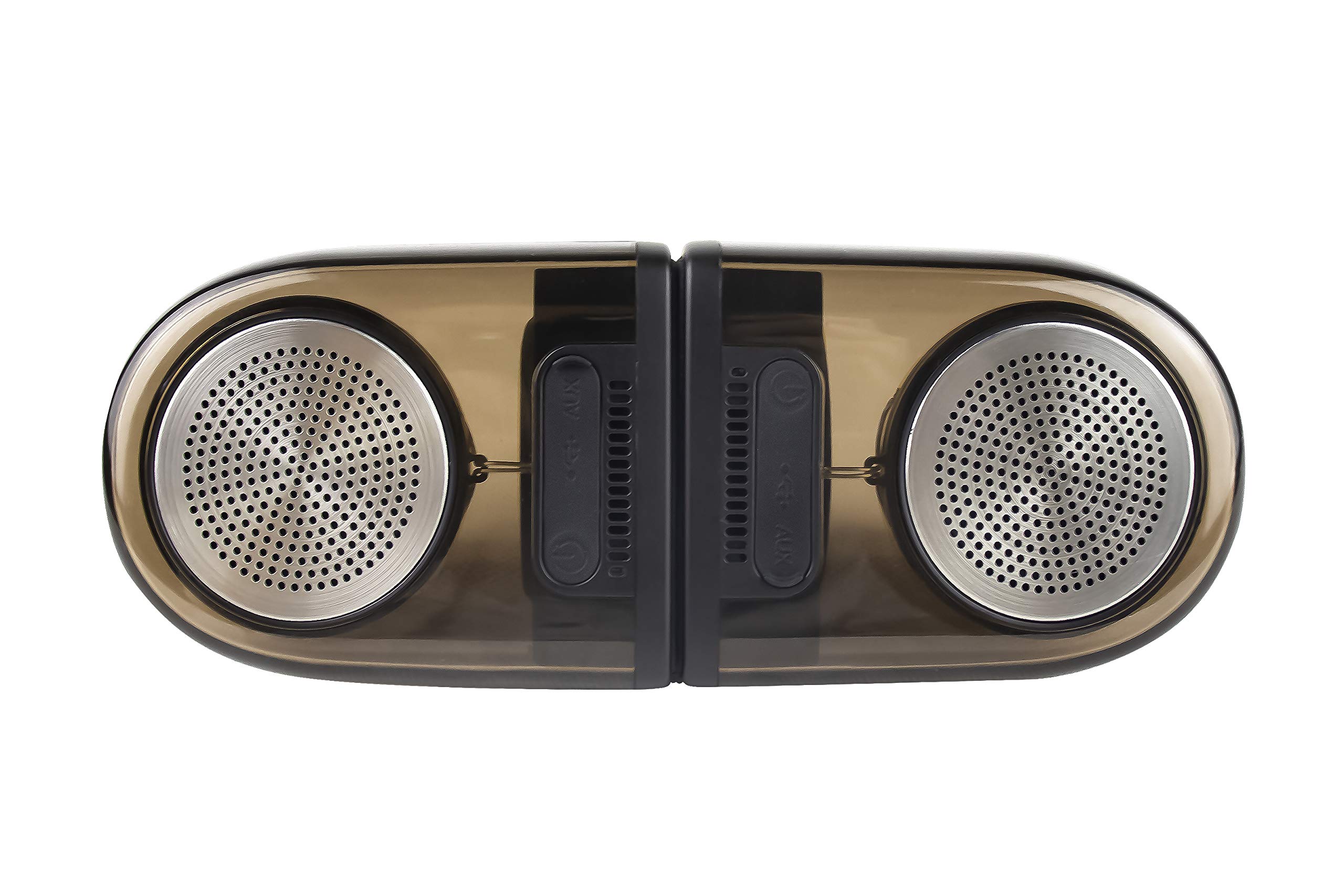
Image of the JVC XS-N2239TC speaker system, showcasing its design and components.
2. Lebokose la Tse ka Hare
Ka kopo netefatsa hore lintho tse latelang li kenyelelitsoe ka har'a sephutheloana sa hau:
- 1 x JVC XS-N2239TC Speaker Unit
- 1 x Cable ea AUX
- 1 x Buka ea Mosebelisi (tokomane ena)
- 1 x Cable ea ho tjhaja
- 1 x Karete ea Tiisetso
3. Seta
3.1 Ho bea
The JVC XS-N2239TC speakers are designed for versatile placement, suitable as Bookshelf or Floor Standing units. Ensure the speakers are placed on a stable, flat surface or floor, away from direct sunlight, heat sources, and moisture. For optimal stereo sound, position the two speakers appropriately within your listening area.
3.2 Khokelo ea Matla
- Connect the charging cable to the speaker's power input port.
- Plug the other end of the charging cable into a suitable power outlet.
- Ensure the speaker is fully charged before initial use for optimal battery life.
4. Litaelo tsa Ts'ebetso
4.1 Ho Matlafatsa/Ho tima
Locate the power button on the speaker unit. Press and hold the button for a few seconds to power the speaker on or off. An indicator light will typically confirm the power status.
4.2 Khokahano
Khokahano e se nang mohala ea 4.2.1
The speaker supports wireless streaming. To connect wirelessly:
- Ensure the speaker is powered on and in pairing mode (refer to the speaker's indicator lights for status).
- On your device (e.g., smartphone, tablet, television), enable wireless functionality.
- Batla available devices and select "JVC XS-N2239TC" from the list.
- Once connected, you can stream audio wirelessly to the speaker system.
4.2.2 Khokelo ea USB
The speaker features a plug-and-play USB card reader. Insert a USB storage device containing audio files into the designated USB port on the speaker. The speaker will automatically detect and begin playing compatible audio files.
Khokahano ea 4.2.3 AUX
Use the provided AUX cable to connect the speaker to devices with a 3.5mm audio output jack, such as televisions or other audio sources. Plug one end of the AUX cable into the speaker's AUX input and the other end into your audio source's output.
4.3 Litaolo
4.3.1 Multifunctional Panel Keys
The speaker unit is equipped with multifunctional panel keys. These keys allow you to:
- Adjust volume (increase/decrease).
- Play/Pause audio playback.
- Navigate tracks (forward/backward) when playing from USB or wireless sources.
4.3.2 Taolo ea Remote
The included remote control provides convenient access to various functions from a distance. Use the remote to:
- Power on/off the speaker.
- Fetola molumo.
- Control playback (play, pause, skip tracks).
- Switch input modes (e.g., Wireless, USB, AUX).
5. Tlhokomelo
5.1 Ho hloekisa
To clean the speaker, use a soft, dry cloth. Do not use abrasive cleaners, waxes, or solvents as they may damage the finish. Ensure the speaker is powered off and unplugged before cleaning.
5.2 Ho hanyetsa Metsi
The JVC XS-N2239TC speaker is designed with water resistance. While it can withstand splashes, it is not intended for submersion. Avoid exposing the speaker to excessive moisture or direct water jets to prevent damage.
6. Ho rarolla mathata
If you encounter issues with your speaker system, please refer to the following common solutions:
- Ha ho Matla: Ensure the charging cable is securely connected to both the speaker and a working power outlet. Check if the power button has been pressed correctly.
- Ha ho Molumo: Verify the volume level on both the speaker and your connected device. Ensure the correct input mode (Wireless, USB, AUX) is selected. Check all cable connections.
- Mathata a Khokahano e se nang Wireless: Make sure the speaker is within range of your device. Try unpairing and re-pairing the speaker with your device. Ensure no other devices are interfering with the wireless signal.
- Mathata a ho Bapala ka USB: Confirm the USB device is formatted correctly and contains compatible audio files. Leka sesebediswa se seng sa USB.
- Remote Control ha e sebetse: Check the remote control's batteries and replace them if necessary. Ensure there are no obstructions between the remote and the speaker's sensor.
Haeba bothata bo ntse bo tsoela pele, ka kopo ikopanye le ts'ehetso ea bareki.
7. Litlhaloso
| Sebopeho | Lintlha |
|---|---|
| Brand | JVC |
| Lebitso la Mohlala | JVC XS-N2239TC |
| Theknoloji ea Khokahano | USB, Wireless |
| Mofuta oa Theknoloji ea Wireless | Wireless |
| Khokahano Protocol | USB |
| Mokhoa oa Phatlalatso ea Audio | Setereo |
| Mofuta oa Sebui | Shelofo ea libuka |
| Mofuta oa ho Beha | Mokatong oa Phanele |
| Likarolo tsa Sehlahisoa | Remote Control |
| Mokhoa oa ho Laola | Hole |
| Lisebelisoa tse lumellanang | Thelebishene |
| Palo ea Liteishene tsa Audio | 2.1 |
| Boholo ba Sebui | 7.5 Disentimitara |
| Subwoofer Speaker Diameter | 5 lisenthimithara |
| Tweeter Driver Diameter | 1 lisenthimithara |
| Mofuta oa Mokhanni oa Audio | Mokhanni ea Matla |
| Mmala | Ntsho |
| Ha e na Metsi | 'NETE |
| Boemo ba ho hanyetsa Metsi | Ha e kenele metsi |
| Tšebeliso e khethehileng Bakeng sa Sehlahisoa | Mekhoa ea Boithabiso ba Lehae |
| Kakaretso ea Bophelo ba Betri | Lihora tse 6 |
| Boima ba Ntho | 0.56 lik'hilograma |
8. Tiisetso le Tšehetso
8.1 Boitsebiso ba Tiisetso
Sehlahisoa sena se tla le a Waranti ea lilemo tse 1 provided by the manufacturer from the date of purchase. Please retain your purchase receipt and warranty card for any warranty claims.
8.2 Tšehetso ea Bareki
For any complaints, technical assistance, or support regarding your JVC XS-N2239TC speaker system, please contact JVC customer care:
- Nomoro ea Tlhokomelo ea Bareki: +91-9910332380
Please have your product model number and purchase details ready when contacting support.