
Selelekela
The August Audar Smart Band KERi is a versatile health and fitness tracker designed to monitor various aspects of your well-being. This manual provides detailed instructions for setting up, operating, maintaining, and troubleshooting your device to ensure optimal performance and a seamless user experience. Please read this manual thoroughly before using your Smart Band.
Tlhophiso
1. Charging the Smart Band
Before initial use, fully charge your Audar Smart Band KERi. The device features a convenient integrated USB charger. Simply remove the strap from one end of the tracker to reveal the USB connector.

Image: The Audar Smart Band KERi being plugged into a USB port for charging. The image highlights the integrated USB connector on the device.

Setšoantšo: E qaqileng view of the Audar Smart Band KERi's integrated USB charging port, showing how it connects to a power source.
- Connect the USB connector to any standard USB charging port (e.g., computer, USB wall adapter).
- Sesupo sa betri skrineng se tla bontsha kgatelopele ya ho tjhaja.
- A full charge can provide up to 30 days of battery life.
2. Installing the Audar App
To unlock the full potential of your Smart Band and view your health data, download the official Audar app on your smartphone.
- Scan the QR code provided in the product packaging or search for "Audar" in your device's app store.
- The app is compatible with both Android and iPhone devices.

Image: Screenshot of the Audar app interface, displaying health data and showing icons for Google Play and Apple App Store downloads.
3. Ho kopanya le Smartphone ea Hao
- Netefatsa hore Bluetooth e kenelletse ho smartphone ea hau.
- Open the Audar app and follow the on-screen instructions to search for and connect to your KERi Smart Band.
- Confirm the pairing request on both your phone and the Smart Band if prompted.
4. Tlhophiso ea Pele
- Once paired, the app will guide you through setting up your personal profile, including age, height, weight, and gender, for accurate data tracking.
- Synchronize the time and date with your phone.
Litaelo tsa Ts'ebetso
1. Basic Navigation
The Audar Smart Band KERi features a color touchscreen display for easy navigation.
- Tlanya: To select an option or wake the screen.
- Senya: To scroll through different menus and data screens.
2. Ho Latela Mesebetsi
The Smart Band automatically tracks your daily activity.

Image: A person running outdoors with the Audar Smart Band KERi on their wrist, showing the display with steps, distance, and calorie data.
- Mehato: E bala palo ea mehato e nkuoeng letsatsi lohle.
- Sebaka: Estimates the distance covered based on your steps and profile data.
- Likhalori: Calculates calories burned during activity.
- Ho latela GPS: When connected to your smartphone, the app can use your phone's GPS to map your route during outdoor activities.
3. Tlhokomelo ea Bophelo bo Botle
The KERi Smart Band provides continuous and on-demand health monitoring.
- Sekala sa ho Rata ha Pelo: Measures your heart rate in real-time. Access this feature from the band's menu or through the app.
- Blood Pressure Monitor: Provides an estimate of your blood pressure. For accurate medical readings, consult a healthcare professional.
- Blood Oxygen Monitor: E lekanya maemo a ho tlala ha oksijene maling a hau.
- Tlhokomeliso ea ho Robala: Automatically tracks your sleep patterns, including deep sleep, light sleep, and wake times. View detailed analysis in the Audar app.
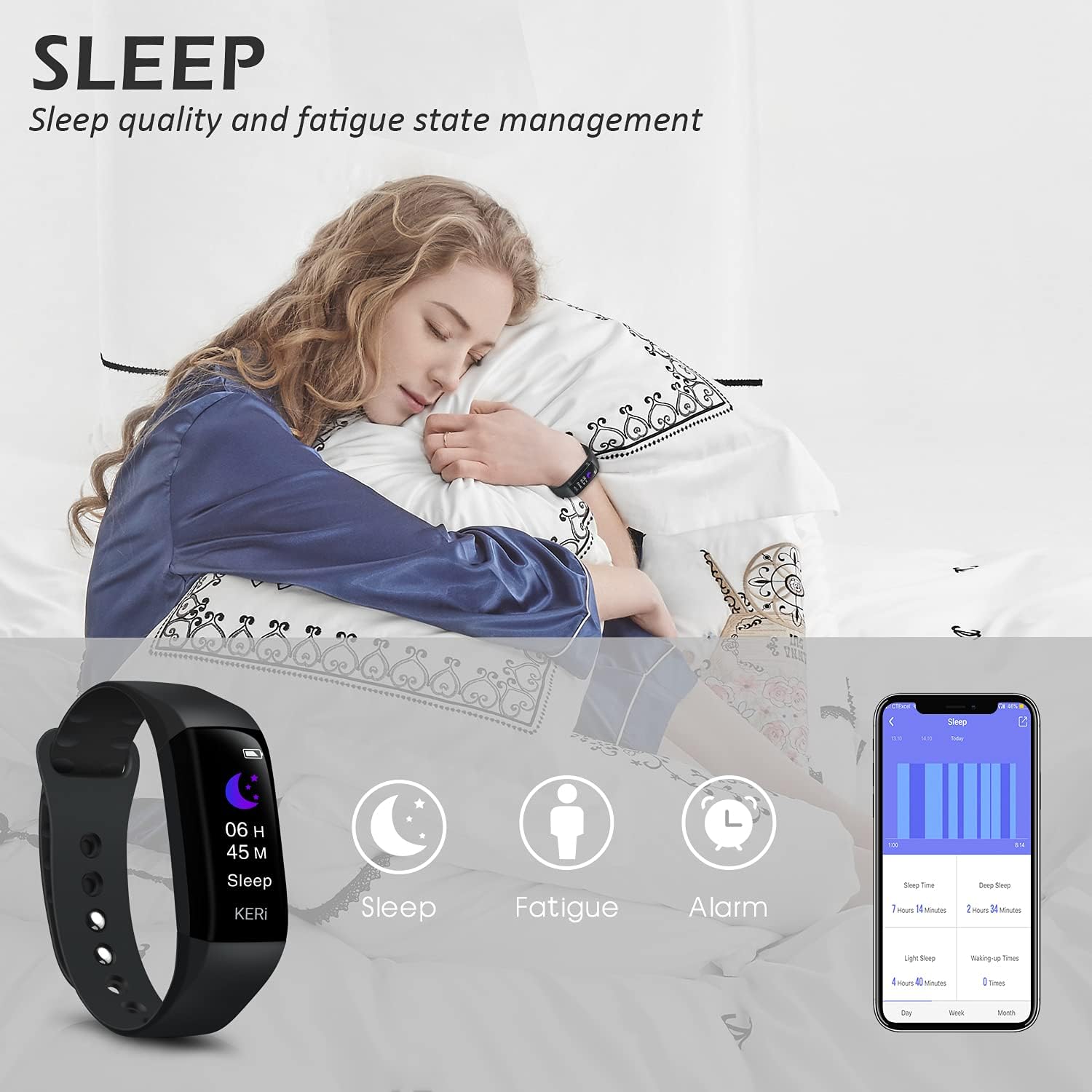
Image: A person sleeping with the Audar Smart Band KERi on their wrist, showing the band's display indicating sleep duration and an accompanying smartphone app displaying sleep analysis.
4. Litsebiso
Receive alerts directly on your wrist when connected to your smartphone.

Image: A close-up of a wrist wearing the Audar Smart Band KERi, with the screen showing an incoming call notification.
- Call Alerts: Displays incoming call notifications.
- Litlhokomeliso tsa Molaetsa: Shows notifications for SMS, WhatsApp, Messenger, and other selected apps.
- Configure which app notifications you wish to receive through the Audar app settings.
5. Likarolo tse Eketsehileng
- Remote Camera Control (Shake Shooting): Use the band to remotely trigger your smartphone's camera by shaking your wrist.
- Fumana Mohala oa Ka: Activate this feature from the band to make your paired phone ring, helping you locate it.
- Alamo Clock: Set silent vibrating alarms through the app.
- CareMate Function: Share your health data with family members through the app, allowing them to monitor your well-being remotely.

Image: Screenshots of the Audar app demonstrating the CareMate function, showing how users can subscribe to and view family members' health data.
Tlhokomelo
1. Ho hloekisa
- Regularly clean your Smart Band and strap to prevent skin irritation and maintain device hygiene.
- Hlakola sesebelisoa ka bonolo, damp lesela. Qoba ho sebelisa lik'hemik'hale tse bohale kapa li-abrasive cleaners.
- Netefatsa hore likhokahano tse tjhajang li hloekile ebile li omme pele u tjhaja.
2. Ho hanyetsa Metsi
The Audar Smart Band KERi is IP67 waterproof.

Image: The Audar Smart Band KERi being splashed with water, illustrating its IP67 waterproof capability. Icons for heart rate, calories, steps, distance, SMS alerts, and blood oxygen are also visible.
- It is resistant to rain, sweat, and can be submerged up to 1 meter underwater for a limited time.
- It is suitable for showering and swimming in shallow water.
- Avoid prolonged exposure to hot water, steam, or high-velocity water.
3. Polokelo
- Boloka sesebelisoa sebakeng se phodileng, se omileng ha se sa sebelisoe.
- Qoba mocheso o feteletseng.
Ho batle phoso
If you encounter issues with your Audar Smart Band KERi, refer to the following common solutions:
| Bothata | Lebaka le ka khonehang | Tharollo |
|---|---|---|
| Device does not turn on or respond | Betri e tlase | Ntlafatsa sesebelisoa bonyane metsotso e 30. |
| Ha e khone ho hokahanya le smartphone | Bluetooth off, app issue, device out of range | Ensure Bluetooth is on. Restart phone and band. Reinstall app. Move band closer to phone. |
| Lipalo tse sa nepahalang tsa bophelo bo botle | Improper fit, movement during measurement, sensor obstruction | Ensure band is snug but comfortable. Remain still during measurements. Clean sensor on back of band. |
| No data synchronization to app | Bluetooth connection lost, app not running in background | Check Bluetooth connection. Ensure app has necessary permissions and is running. Manually sync from app. |
| Bophelo ba betri e khutšoanyane | Frequent notifications, continuous monitoring, old battery | Reduce notification frequency. Disable continuous monitoring for certain features. Ensure full charge. |
Haeba bothata bo ntse bo tsoela pele, ka kopo sheba karolo ea tšehetso bakeng sa thuso e eketsehileng.
Litlhaloso

Image: A diagram illustrating the dimensions of the Audar Smart Band KERi, including screen size and band length.
| Sebopeho | Lintlha |
|---|---|
| Lebitso la Mohlala | KERi |
| Brand | Phato |
| Boholo ba skrine | 0.96 lisenthimithara |
| Mofuta oa Pontšo | LCD |
| Qeto | 240 x 240 |
| Theknoloji ea Khokahano | Bluetooth, USB |
| Tekanyetso ea puisano e se nang mohala | bluetooth |
| Mokhoa oa tšebetso | Android (Compatible with Android & iPhone) |
| Metrics e lekantsoeng | Heart Rate, Blood Pressure, Sleep Duration, Blood Oxygen |
| Likarolo Tse Khethehileng | Alarm Clock, Calorie Tracker, Notifications, GPS (via phone), Remote Camera Control |
| Boemo ba ho hanyetsa Metsi | IP67 (Waterproof up to 1 meter) |
| Mofuta oa lisele tsa betri | Lithium Polymer |
| Kakaretso ea Bophelo ba Betri | Ho fihlela ho matsatsi a 30 |
| Mofuta oa Boitsebiso ba Band | Rubber or Silicone |
| Case Material Type | Ceramic |
| Boima ba Ntho | 29 lik'hilograma |
| Litekanyo tsa Ntho | 25.8 x 2.2 x 1.3 disentimitara |
| Bolelele ba Sehlopha | 130 - 190 Millimetres |
| Mmala | Ntsho |
Boitsebiso ba Warranty
For detailed warranty information regarding your August Audar Smart Band KERi, please refer to the warranty card included in your product packaging or visit the official August websebaka. Melao le maemo a tiisetso a ka fapana ho ea ka libaka le morekisi.

Image: The contents of the Audar Smart Band KERi product box, showing the smart band, charging cable, and instruction manuals.
Tšehetso ea Bareki
If you require further assistance or have questions not covered in this manual, please contact August customer support through one of the following channels:
- Ts'ehetso ea Marang-rang: Visit the official August websebaka sa li-FAQ, lingoliloeng tsa tšehetso, le liforomo tsa ho ikopanya.
- Tšehetso ea lengolo-tsoibila: Refer to your product packaging or the August website for the customer service email address.
- Brand Store: U ka boela ua etela ho August Brand Store bakeng sa lintlha tse ling tsa sehlahisoa le lisebelisoa tsa tšehetso.