
Selelekela
This manual provides detailed instructions for the setup, operation, maintenance, and troubleshooting of your Trust Urban Bluetooth Wireless Headphones, Model 22764. Please read this manual carefully before using the product to ensure proper functionality and to maximize your listening experience.
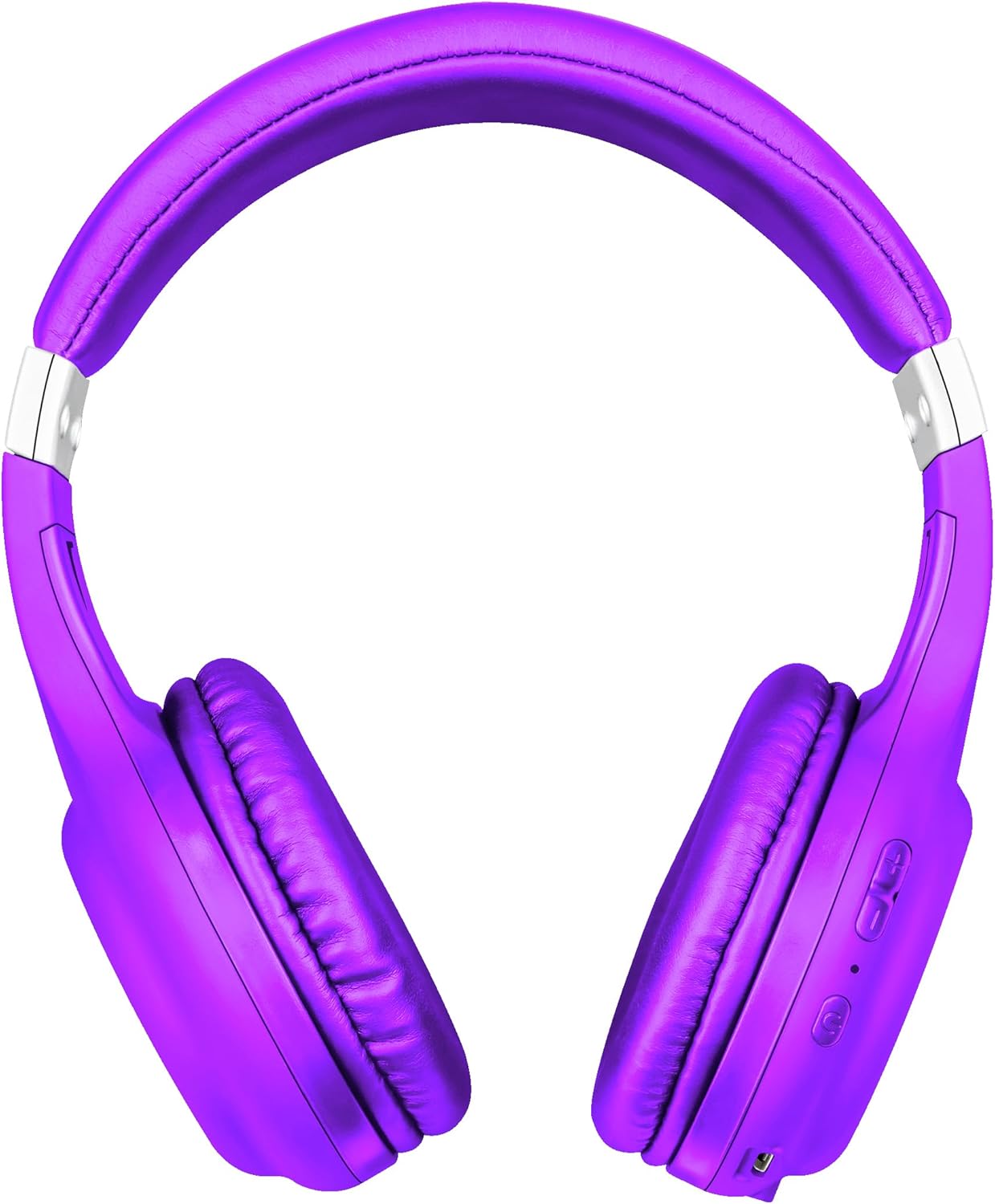
Setšoantšo: Pele view of the Trust Urban Bluetooth Wireless Headphones in purple.
Tlhophiso
1. Ho tjhaja Li-headphone
Before first use, fully charge your headphones. A USB charging cable is included.
- Hokela ntlha e nyane ea thapo ea ho tjhaja ea USB le koung ea ho tjhaja li-headphone.
- Connect the larger end of the USB cable to a USB power source (e.g., computer USB port, USB wall adapter).
- The LED indicator on the headphones will show the charging status. It typically turns off or changes color when fully charged.
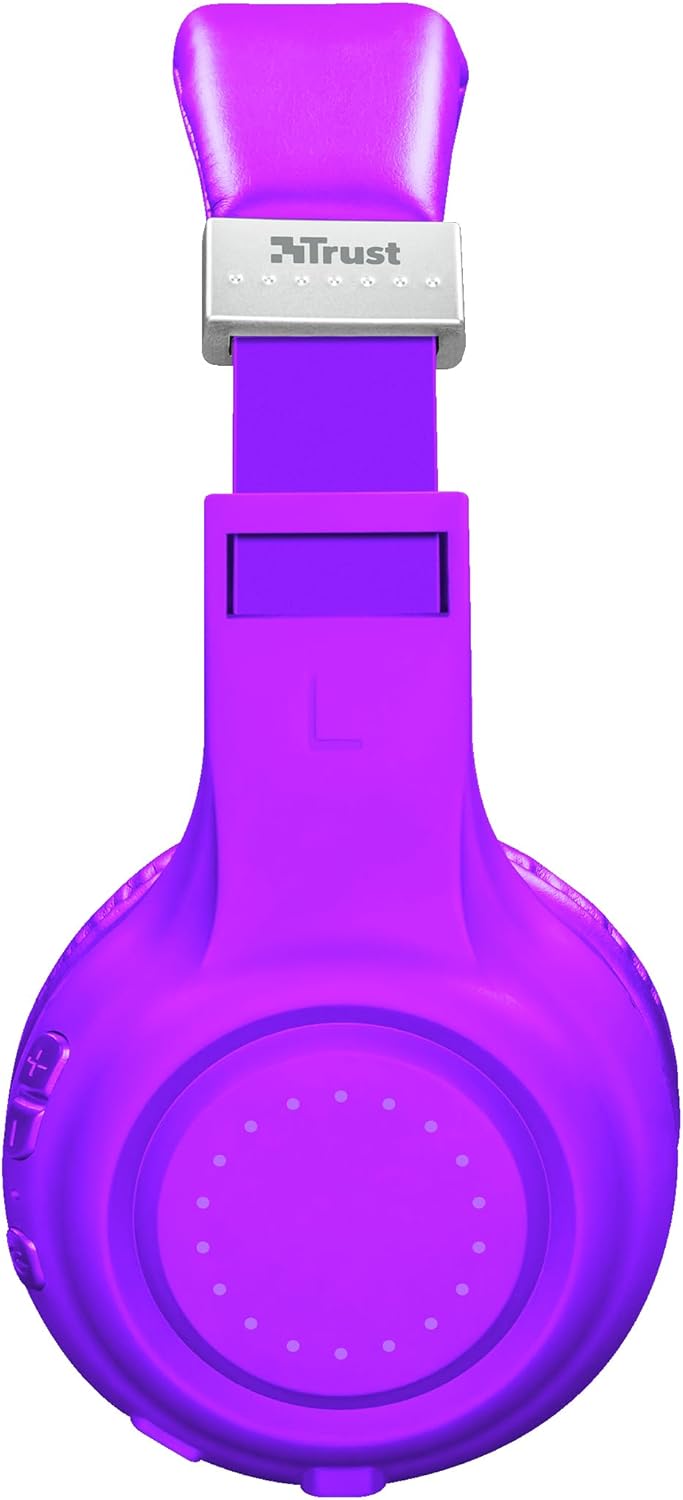
Setšoantšo: Lehlakore view of the headphones, highlighting the charging port and control buttons.
2. Bluetooth pairing
Ho hokela li-headphone tsa hau ka mohala ho sesebelisoa:
- Netefatsa hore li-headphone li tjhajiloe 'me li tingoe.
- Press and hold the Power button on the headphones until the LED indicator flashes rapidly (usually blue and red), indicating pairing mode.
- Sesebedisweng sa hao (smartphone, tablet, laptop), bula Bluetooth mme o batle disebediswa tse ntjha.
- Select "Trust Dura" or a similar name from the list of available devices.
- Once connected, the LED indicator on the headphones will typically flash slowly or turn solid blue.
The headphones have a wireless range of up to 10 meters.
3. Kgokelo ya Wired (O ka e kgetha)
You can also use the headphones with a 3.5mm audio cable (not always included, check packaging) for a wired connection, which is useful when the battery is low or for devices without Bluetooth.
- Connect one end of the 3.5mm audio cable to the headphone jack on the headphones.
- Hokela pheletsong e 'ngoe ho molumo oa molumo oa 3.5mm oa sesebelisoa sa hau.
- Li-headphone li tla fetohela ho mokhoa oa wired mode.
Litaelo tsa Ts'ebetso
Motlakase/O tima
- Matlafatsa: Tobetsa o be o tshware konopo ya Power bakeng sa metsotswana e ka bang 3.
- Tlosa motlakase: Press and hold the Power button for approximately 3-5 seconds.
Ho Bapala 'Mino
- Bapala/Emisa: Press the Multi-function button (often the Power button) once.
- Pina e Latelang: Tobetsa o be o hatelle konopo ya Volume Up (+).
- Pina e fetileng: Tobetsa o be o hatelle konopo ya Molumo o Tlase (-).
Taolo ea Molumo
- Eketsa Buka: Tobetsa konopo ea Volume Up (+).
- Fokotsa Moqolo: Tobetsa konopo ya ho theola modumo (-).
Tsamaiso ea mohala
The headphones feature a built-in microphone for hands-free calls.
- Araba/Khaola mohala: Tobetsa konopo ea Multi-function hang.
- Hana Mohala: Tobetsa 'me u tšoare konopo ea Multi-function metsotsoana e ka bang 2.
- Hape Nomoro ea ho Qetela: Tobetsa habeli konopo ea Multi-function.
Mothusi oa Lentsoe
Quickly access your smartphone's voice assistant (Siri, Google Assistant, etc.):
- Sebelisa Mothusi oa Lentsoe: Press the Voice Assistant button (if available, or a specific combination as per device). Refer to your device's manual for specific button functions if not clearly marked.
Tlhokomelo
- Ho hloekisa: Sebelisa lesela le bonolo, le omeletseng ho hloekisa li-headphone. Se ke oa sebelisa li-abrasive cleaners kapa solvents.
- Polokelo: Boloka li-headphones sebakeng se phodileng, se omileng hole le khanya ea letsatsi le mocheso o feteletseng.
- Tlhokomelo ea Betri: Ho lelefatsa bophelo ba betri, qoba ho ntsha betri ka botlalo kgafetsa. Tjhaja di-headphone kgafetsa, leha di sa sebediswe ka nako e telele.
- Qoba Mongobo: U se ke ua pepesa li-headphones metsing kapa mongobo o feteletseng.
Ho batle phoso
| Bothata | Tharollo |
|---|---|
| Li-headphone ha li bulehe. | Ensure the headphones are fully charged. Connect them to a power source using the USB cable. |
| Ha e khone ho tsamaisana le sesebelisoa. |
|
| Ha ho na molumo kapa molumo o tlase. |
|
| Microphone ha e sebetse. |
|
Litlhaloso
| Lebitso la Mohlala | Dura |
| Nomoro ea Mohlala | 22764 |
| Brand | Tšepa |
| Mmala | Bopherese |
| Sebopeho sa Foromo | Tsebe e fetang |
| Theknoloji ea Khokahano | Wireless (Bluetooth), Wired (3.5mm jack) |
| Range e se nang mohala | 10 limithara |
| Bophelo ba Betri (Nako ea ho Bapala) | Ho fihlela lihora tse 6 |
| Mofuta oa Leshala | Lithium-ion (rechargeable, included) |
| Boema-kepe ba ho tjhaja | USB (e kenyelelitsoe thapo) |
| Microphone e hahiloeng | Ee |
| Mofuta oa Taolo | Buttons for volume, media, call management, voice assistant access |
| Lisebelisoa tse lumellanang | Mobile phones, Tablets, Laptops, Desktop computers |
| Lintho tse bonahalang | Plastiki |
| Litekanyo tsa Sehlahisoa | 4 x 5.5 x 9.5 cm; 190 g |
Boitsebiso ba Warranty
Trust products are manufactured to high quality standards. For detailed warranty terms and conditions, please refer to the official Trust website or the warranty card included with your purchase. Typically, Trust offers a limited warranty against defects in materials and workmanship from the date of original purchase.
Ka kopo, boloka bopaki ba theko bakeng sa likopo life kapa life tsa tiisetso.
Tšehetso
For further assistance, technical support, or frequently asked questions, please visit the official Trust support websebaka:
You may also find additional resources and contact information on their websebaka.