
LAUNCH CReader HD Plus
LAUNCH CR-HD Plus Heavy Duty Truck Scanner User Manual
Model: CReader HD Plus
Letšoao: QALA
1. Sehlahisoa Overview
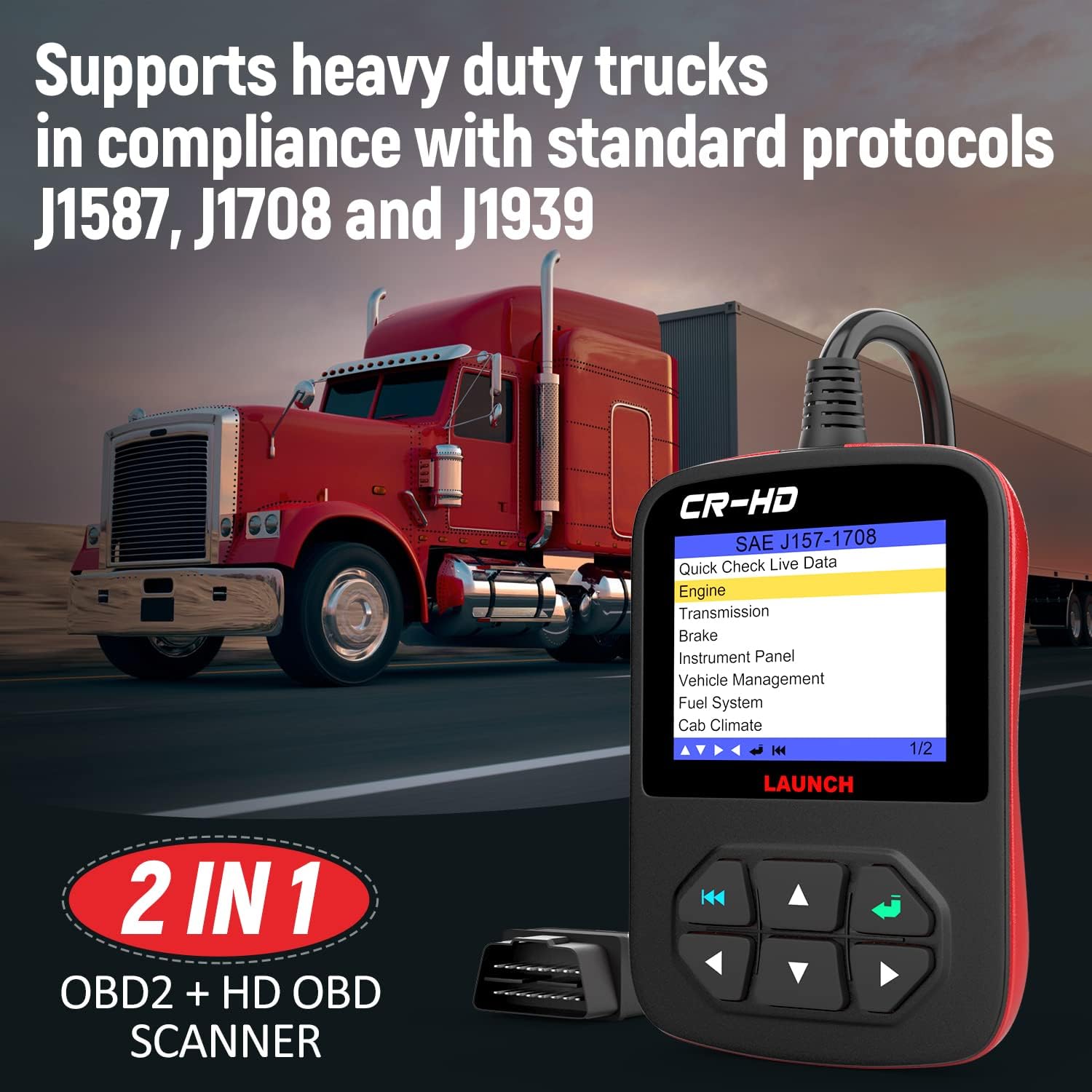
The LAUNCH CR-HD Plus is a versatile heavy-duty truck scanner and diagnostic scan tool designed for both diesel trucks and cars. It offers comprehensive diagnostic capabilities for various vehicle systems, supporting multiple protocols including J1587, J1708, J1939, and standard OBD II/EOBD/HOBD.
Lintlha tsa bohlokoa li kenyelletsa:
- Covers Class 4 (14,001 lbs) through Class 8 (33,000 lbs and over) Heavy Duty Trucks.
- Includes 6-pin and 9-pin Deutsch connectors, plus OBDII 16-pin connectors.
- Supports J1587, J1939, and J1708 protocols for heavy-duty standards.
- Includes Generic/Global OBD II 16 PIN communication (cars and light trucks) - Modes 1-10.
- Ability to read and clear active and inactive fault codes, turn off Check Engine Light (MIL), clear codes, and reset monitors.
- Reads, records, graphs, and plays back live sensor data, including O2 sensor test data and EVAP data stream.
- Displays monitor and I/M readiness status (emissions).
- Provides coverage for Engine, Transmission, Brakes, and more via Heavy Duty Standard.
- Monitors all data and views live data streams for efficient engine health assessment and sensor location.
- Features a full-color 2.8" LCD Display with an extra-long 6.5 ft. cable.
- Comes with a padded storage case.
- Offers lifetime free internet updates.

2. Se ka Lebokoseng
Ha u bula sephutheloana, etsa bonnete ba hore lintho tsohle tse latelang li kenyelelitsoe:
- CR HD Plus Diagnostic Tool
- Buka ea Mosebelisi
- Padded Storage Case
- 6-pin Deutsch connector
- 9-pin Deutsch connector

3. Tataiso ea ho seta
- Identify the Diagnostic Port: Locate the diagnostic port in your vehicle. For heavy-duty trucks, this is typically a 6-pin or 9-pin Deutsch connector. For cars and light trucks, it is usually a 16-pin OBDII port. Consult your vehicle's manual for the exact location.
- Select the Correct Connector: Choose the appropriate diagnostic connector (6-pin, 9-pin, or 16-pin) from the included accessories that matches your vehicle's port.
- Hokela Sekenara: Firmly connect the selected adapter to your vehicle's diagnostic port. Then, connect the other end of the adapter cable to the LAUNCH CR-HD Plus device.
- Matlafatsa: Once connected, the device should power on automatically. If not, ensure the vehicle's ignition is in the ON position (engine off or running, depending on the diagnostic task).
- Tlhophiso ea pele: Follow the on-screen prompts for initial language selection and system settings if prompted.
4. Litaelo tsa Ts'ebetso
The LAUNCH CR-HD Plus offers various diagnostic functions. Navigate through the menus using the directional buttons and confirm selections with the 'Enter' button.
4.1 Reading and Clearing Codes
- From the main menu, select "Read Codes" or "Diagnostic" (menu options may vary slightly).
- The scanner will establish communication with the vehicle's ECU and display any active or pending Diagnostic Trouble Codes (DTCs).
- To clear codes, select "Clear Codes" from the menu. Confirm the action when prompted. Clearing codes will turn off the Check Engine Light (MIL) and reset monitor status.

4.2 Phallo ea Lintlha e Phelang
Mosebetsi ona ou lumella ho view real-time data from the vehicle's sensors and components.
- Select "Live Data" from the main menu.
- U ka khetha ho view all data parameters or select specific ones.
- The data can be displayed in numerical, graph, or combined formats for easier analysis.

4.3 System Coverage
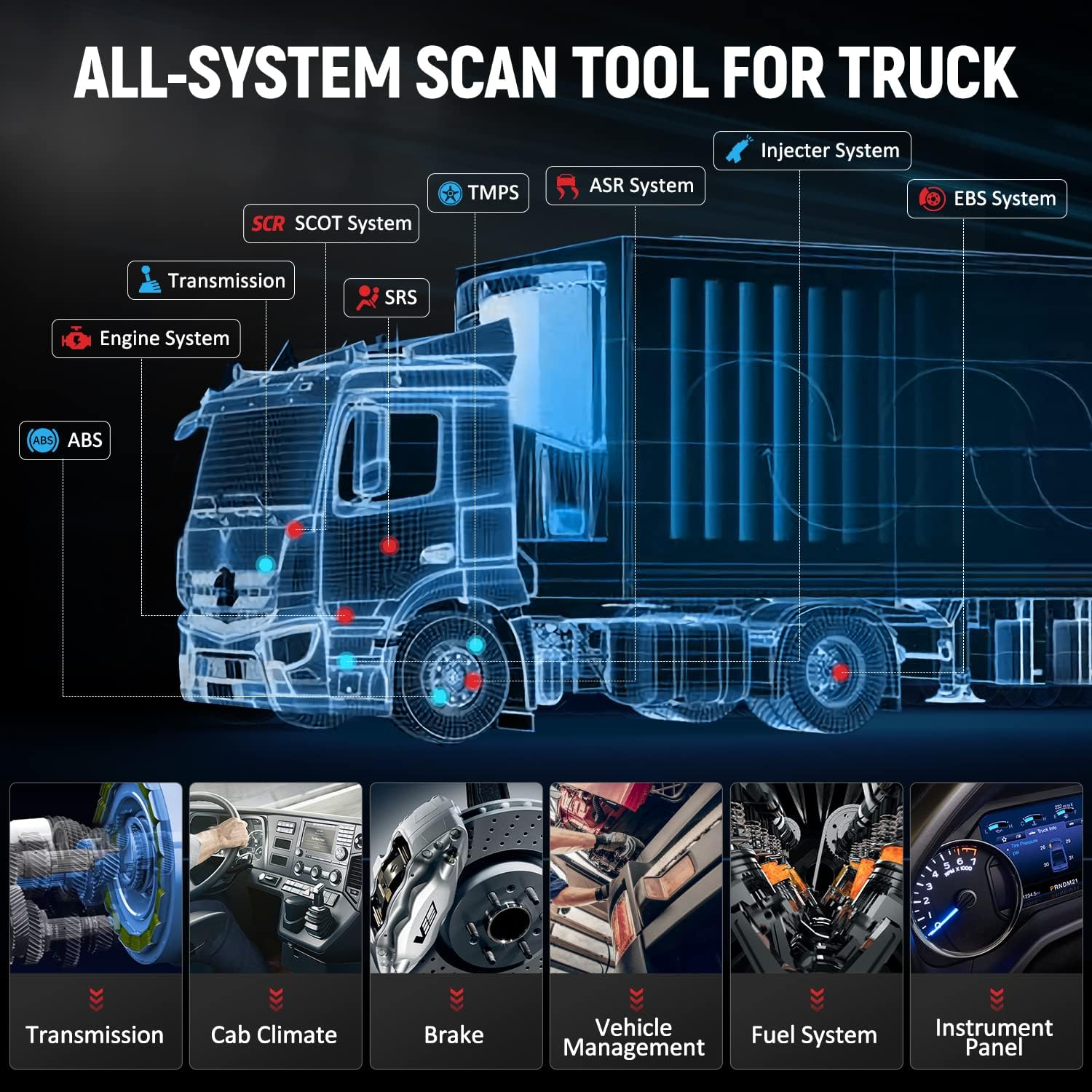
The LAUNCH CR-HD Plus provides OE-level diagnosis for various systems in heavy trucks, pickups, buses, and vans. This includes, but is not limited to:
- Sistimi ea enjine
- Sistimi ea phetiso
- Braking System (ABS, ESP)
- Ho khanna koloi
- Ho fanyeha
- Cluster/Instrument Panel
- Sistimi ea Exhaust
- Sisteme ea Mafura
- Cab Climate
- Taolo ea 'Mele
- Le ho feta.
5. Tlhokomelo
To ensure the longevity and optimal performance of your LAUNCH CR-HD Plus, follow these maintenance guidelines:
- Ho hloekisa: Sebelisa bonolo, damp lesela ho hlwekisa sesebediswa. O se ke wa sebedisa dihlwekisi tse kgohlang kapa dihlapolli.
- Polokelo: Store the scanner in its padded storage case when not in use to protect it from dust, moisture, and physical damage. Keep it in a dry, cool environment.
- Tlhokomelo ea Lithapo: Avoid bending or crimping the diagnostic cable excessively. Always grasp the connector ends when plugging or unplugging to prevent damage to the pins or cable.
- Lintlafatso tsa Software: Regularly check for and install software updates. The device offers lifetime free internet updates, which can improve compatibility, add new features, and fix bugs.
6. Ho rarolla mathata
This section addresses common issues you might encounter while using the LAUNCH CR-HD Plus.
6.1 Sesebediswa ha se bule
- Ensure the diagnostic cable is securely connected to both the vehicle's DLC (Data Link Connector) and the scanner.
- Verify that the vehicle's ignition is turned ON.
- Hlahloba bophahamo ba betri ea koloitage. A low battery might prevent the scanner from powering up or communicating correctly.
- Inspect the diagnostic port for any bent or damaged pins.
6.2 Phoso ea Puisano
- Confirm that the correct diagnostic connector (6-pin, 9-pin, or 16-pin) is being used for your vehicle type.
- Netefatsa hore likhokahano tsohle li tiile ebile li bolokehile.
- Verify the vehicle's ignition is ON.
- Try connecting to a different vehicle (if available) to determine if the issue is with the scanner or the vehicle.
- Update the scanner's software to the latest version.
6.3 Incorrect Connector Fit (as seen in customer video)
A customer video highlighted an issue where the provided connector did not fit the vehicle's port, despite appearing similar. This can occur due to subtle differences in pin configuration or connector design between various vehicle models or manufacturing years.
If you encounter a connector fit issue:
- Netefatsa Tšebelisano: Double-check the compatibility of the scanner and its connectors with your specific vehicle's make, model, and year. Refer to the product's compatibility list or contact LAUNCH customer support with your vehicle's VIN.
- Hlahloba Lipini: Carefully compare the pin layout of your vehicle's diagnostic port with the connector. Even a slight difference in arrangement can prevent a proper connection.
- Batla Tšehetso: If the provided connectors do not fit, contact LAUNCH customer support for assistance. They may be able to provide an alternative adapter or guidance.
7. Litlhaloso
| Sebopeho | Lintlha |
|---|---|
| Brand | PHAHAMA |
| Mohlala | CReader HD Plus |
| Boima ba Ntho | 1.9 liponto |
| Litekanyo tsa Sehlahisoa | 4.7 x 3 x 1 lisenthimithara |
| Mokhoa oa tšebetso | Linux |
| Li-Protocols tse tšehelitsoeng | J1587, J1708, J1939, OBDII (Modes 1-10) |
| Pontšo | 2.8" Full Color LCD |
| Bolelele ba Cable | 6.5ft |
| UPC | 712321438010 |
8. Tiisetso le Tšehetso
The LAUNCH CR-HD Plus comes with a 2-year warranty and lifetime free software updates. For any technical assistance or inquiries, please refer to the following contact information:
- Tšehetso ea lengolo-tsoibila: autoscope@163.com
- Ts'ehetso ea Marang-rang: You can contact the seller through the product detail page on Amazon by clicking the seller's store name and then "Ask a question."
- Nako ea Warranty: Lilemo tse 2
- Lintlafatso tsa Software: Lifetime Free Internet Updates
- Leano la Puseletso: 60 Days Unconditional Refund
Ask a question about this manual
Ask about setup, troubleshooting, compatibility, parts, safety, or missing instructions. Manuals+ will review the question and use this page’s manual context to help answer it.