
FLIR ONE Pro USB-C
Khamera ea FLIR One Pro Thermal Imaging bakeng sa Buka ea Mosebelisi ea Android (USB-C)
Model: ONE Pro USB-C | Brand: FLIR
Selelekela
The FLIR One Pro is a thermal imaging camera designed to connect to Android smartphones via USB-C. It enables users to visualize heat patterns, detect temperature differences, and identify potential issues in various applications. This manual provides essential information for setting up, operating, and maintaining your FLIR One Pro.
Litaba tsa Sephutheloana
- FLIR One Pro Thermal Imaging Camera
- Taba ea Tšireletso
- Thapo ea ho tjhaja

The FLIR One Pro camera shown alongside its protective carrying case.
Tlhophiso
1. Ho tjhaja Sesebelisoa
Before initial use, fully charge your FLIR One Pro using the provided USB-C charging cable. The device has an independent battery.
2. Ho kenya App
Download and install the official FLIR One app from the Google Play Store on your Android smartphone.
3. Ho hokela ho Smartphone ea hau
Ensure the FLIR One Pro is charged and powered on (the LED indicator will turn green). Adjust the OneFit™ adjustable connector to fit your phone, especially if using a protective case. Plug the FLIR One Pro into your smartphone's USB-C port. The FLIR One app should launch automatically.

The FLIR One Pro attached to an Android smartphone, showing a thermal view of an electrical panel.

Detail of the FLIR One Pro, highlighting the adjustable USB-C connector for compatibility with various phone cases.
Operating the FLIR One Pro
Ts'ebetso ea Motheo
Once connected and the app is running, the camera will display a live thermal image on your smartphone screen. You can switch between different display modes and measurement tools within the app.
Ho nka litšoantšo le livideo
Use the capture button within the app to take thermal images or record videos. Images are saved directly to your phone's gallery.

A smartphone screen showing multiple thermal images, demonstrating the camera's ability to capture and store visual data.
Likarolo tsa Bohlokoa
Super Resolution with VividIR™
The FLIR One Pro utilizes VividIR™ technology to enhance the native 160x120 infrared resolution to 480x360, providing sharper and more detailed thermal images.
A side-by-side comparison illustrating the enhanced detail provided by VividIR Super Resolution versus native thermal resolution.
MSX® Technology
FLIR MSX® (Multi-Spectral Dynamic Imaging) technology overlays visual details from the camera's visible light sensor onto the thermal image. This enhances clarity and helps identify objects and text within the thermal scene.
An official FLIR video demonstrating the benefits of MSX technology in thermal imaging, showing how visual details are integrated for clearer identification.
Wide Temperature Range and Sensitivity
The FLIR One Pro can measure temperatures from -20°C to 400°C (-4°F to 752°F) with a sensitivity that detects temperature differences down to 70 mK.
Jobsite Durability
Designed to withstand demanding environments, the device is rated to survive drops from 1.5 meters (5.9 feet).

A user inspecting an electrical panel with the FLIR One Pro, emphasizing the device's robust construction for professional use.
Lisebelisoa
The FLIR One Pro is a versatile tool suitable for various professional and personal applications, including:
- Tlhahlobo ea Lehae: Identifying air leaks, moisture buildup, insulation gaps, and electrical hot spots.
- Ho rarolla mathata a HVAC: Diagnosing heating and cooling system issues.
- Litlhahlobo tsa Motlakase: Detecting overheating components in electrical panels and wiring.
- Tlhahlobo ea Likoloi: Pinpointing heat-related problems in vehicles.
- Liphaephe: Locating hot water pipes or leaks behind walls.

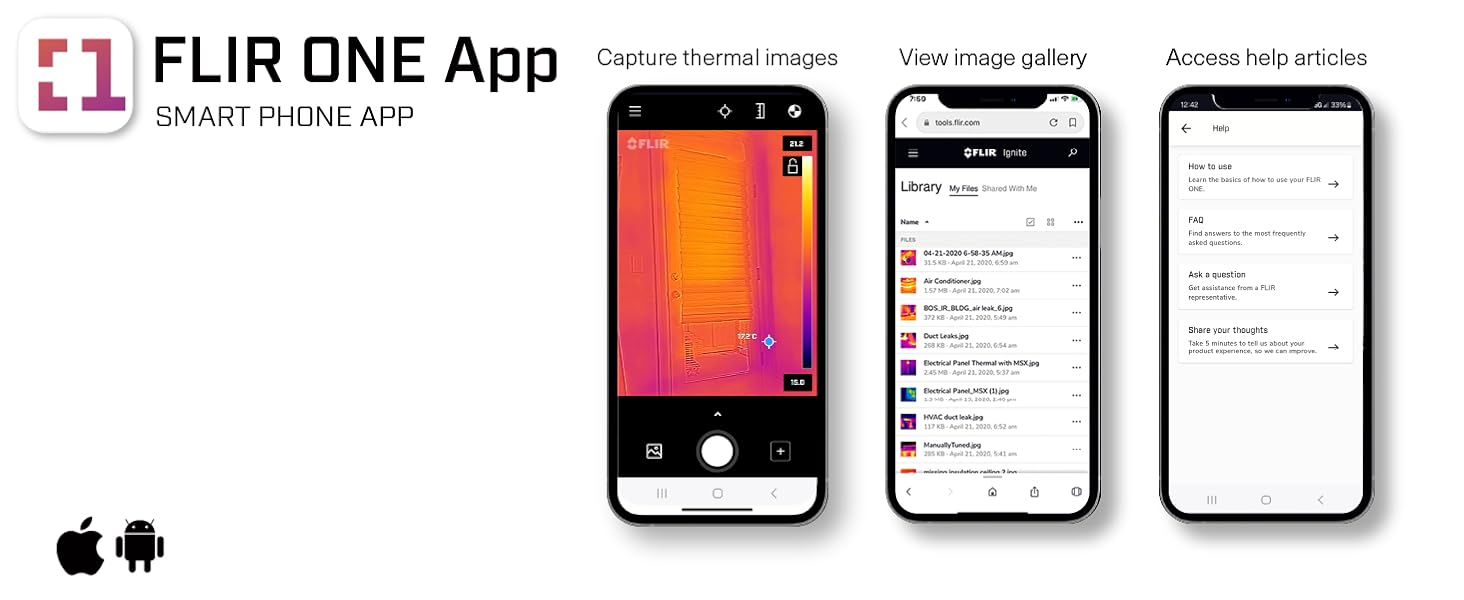
The FLIR One App interface, showcasing its inspection guides for identifying common issues like air leaks and moisture.
An official FLIR video demonstrating the FLIR One Pro's use in various Android applications, including inspections and diagnostics.
Tlhokomelo
Ho hloekisa
Gently wipe the camera lenses and device exterior with a soft, lint-free cloth. Avoid abrasive materials or harsh chemicals.
Polokelo
Store the FLIR One Pro in its protective case when not in use to prevent damage.
Ho batle phoso
Sesebediswa ha se Kopane
- Ensure the FLIR One Pro is fully charged and powered on.
- Verify the FLIR One app is installed and up to date.
- Check the USB-C connection for proper seating. Adjust the OneFit™ connector if necessary.
- Restart your smartphone and the FLIR One app.
Mathata a Boleng ba Litšoantšo
- Ensure the camera lenses are clean and free of smudges or dust.
- Allow the camera to stabilize for a few seconds after connecting.
- Check app settings for resolution and image enhancement options (e.g., MSX, VividIR).
Litlhaloso
| Sebopeho | Lintlha |
|---|---|
| Litekanyo tsa Sehlahisoa | 0.55 x 2.68 x 1.34 lisenthimithara |
| Boima ba Ntho | 1.38 lik'hilograma |
| Nomoro ea mohlala oa ntho | ONE Pro USB-C |
| Libetri | 1 Libetri tsa Lithium Ion lia hlokahala. (kenyelleditswe) |
| Mefuta e Meholo ea ho Tsepamisa Maikutlo | 15 - Lisentimithara tse sa Feleng |
| Mekhoa ea ho Thunya | o iketsang/ka letsoho |
| Mofuta oa Taolo ea Ts'oaetso | o iketsang/ka letsoho |
| Mmala | Ntsho |
| Qeto ea ho nka video | 1440x1880 |
| Qeto ea Mocheso | 160x120 (480x360 Super Resolution) |
| Mocheso Range | -20°C ho isa ho 400°C (-4°F ho isa ho 752°F) |
| Theoha Rating | 1.5 limithara |
Warranty le Tšehetso
Boitsebiso ba Warranty
For detailed warranty information, please refer to the documentation included with your product or visit the official FLIR websebaka.
Tšehetso ea Bareki
For technical assistance or support, please contact FLIR customer service through their official website or the FLIR One app.
Ask a question about this manual
Ask about setup, troubleshooting, compatibility, parts, safety, or missing instructions. Manuals+ will review the question and use this page’s manual context to help answer it.