
Selelekela
This manual provides comprehensive instructions for the Intel Core i7-7700K processor. Designed for high performance, this processor features 4 high-performing cores with a base frequency of 4.2GHz and 8MB of cache memory. It utilizes Intel Turbo Boost 2.0 technology to reach a max turbo frequency of 4.5GHz and Intel Hyper-Threading Technology for 8-way multitasking. As an unlocked processor, it offers flexibility for performance tuning.
Boitsebiso ba Bohlokoa ba Tšireletseho
Always handle the processor by its edges to avoid touching the gold contacts or the top surface. Electrostatic discharge (ESD) can damage electronic components. Use proper ESD precautions, such as an anti-static wrist strap, when installing or handling the processor. Ensure your system is powered off and unplugged before installation. Refer to your motherboard manual for specific installation procedures and safety guidelines.
Litaba tsa Sephutheloana
The Intel BX80677I77700K processor package typically includes the following:
- Intel® processor
- Three-year Limited Warranty information
- Buka ea litaelo
Hlokomela: This processor model does not include a stock cooling fan. A separate CPU cooler must be purchased and installed.

Image: Retail box of the Intel Core i7-7700K processor, showing multilingual content information and the processor itself in a clear window.
Ho seta le ho Kenya
The Intel Core i7-7700K processor is compatible only with motherboards based on Intel 100 or 200 Series Chipsets and requires an LGA1151 socket. Ensure your motherboard's BIOS is updated to support Kaby Lake processors if necessary.
Mehato ea ho Kenya:
- Lokisetsa Motherboard: Open the CPU socket retention lever and load plate on your LGA1151 motherboard.
- Kenya processor: Carefully align the processor with the socket, ensuring the gold triangle on the processor matches the triangle on the socket. Gently place the processor into the socket without forcing it.
- Sireletsa processor: Close the load plate and secure it with the retention lever.
- Kenya Thermal Paste: Apply a thin, even layer of high-quality thermal paste to the center of the processor's integrated heat spreader (IHS).
- Kenya CPU Cooler: Mount your chosen CPU cooler according to its manufacturer's instructions. Ensure proper contact and pressure for optimal heat dissipation.
- Kopanya Cooler Fan: Hokela thapo ea fan ea CPU ho hlooho e khethiloeng ea CPU_FAN ho motherboard ea hau.
For detailed visual instructions, refer to the official Buka ea ho kenya (PDF) provided by Intel.
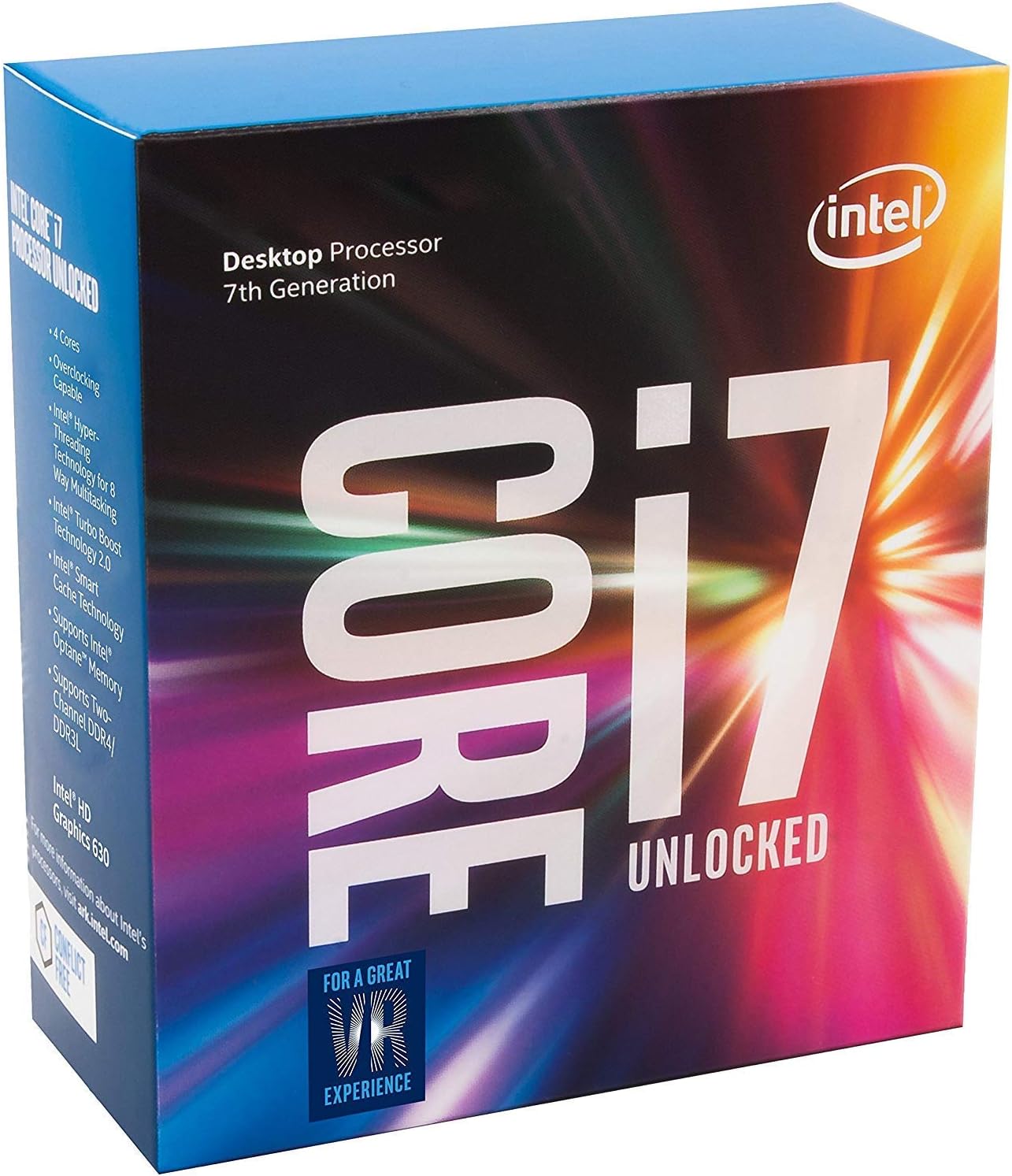
Image: The Intel Core i7-7700K processor, showcasing its integrated heat spreader and contact points.
Ho sebetsa processor
Once installed, the Intel Core i7-7700K processor operates automatically within your system. Its key features include:
- Metsotso/Likhoele: 4 Cores / 8 Threads for efficient multitasking.
- Maqhubu a Base: 4.20 GHz.
- Maqhubu a Max Turbo: Up to 4.50 GHz with Intel Turbo Boost 2.0 technology.
- Cache: 8 MB Intel Smart Cache.
- Grafiken e Kopantsoeng: Intel UHD Graphics 630.
- Litaelo Set: 64-bit with Intel SSE4.1, Intel SSE4.2, and Intel AVX2 extensions.
- Tšehetso ea memori: DDR4 SDRAM.
- Memori ea Intel Optane: Supported for enhanced system responsiveness.
As an unlocked processor, the Core i7-7700K allows for overclocking to achieve higher performance. This requires compatible motherboard support and advanced knowledge of BIOS settings. Always ensure adequate cooling when attempting to overclock.
Tlhokomelo
The Intel Core i7-7700K processor requires minimal maintenance. Key considerations include:
- Sistimi ea ho Pholisa: Regularly inspect and clean your CPU cooler (fans, heatsink, radiator for liquid coolers) to prevent dust buildup, which can impede airflow and lead to higher temperatures.
- Thermal Paste: Over time, thermal paste can degrade. If you notice consistently high temperatures, consider reapplying fresh thermal paste.
- Lintlafatso tsa Sistimi: Keep your operating system, motherboard BIOS, and drivers updated to ensure optimal performance and compatibility.
Ho batle phoso
Haeba o kopana le mathata ka processor ea hau ea Intel Core i7-7700K, nahana ka mehato e latelang ea ho rarolla mathata:
Mocheso o Phahameng:
- Check Cooler Installation: Ensure the CPU cooler is correctly seated and making full contact with the processor's IHS. Verify that all mounting screws are tightened appropriately.
- Thermal Paste: Confirm that thermal paste was applied correctly and is not dried out. Reapply if necessary.
- Ho foka ha moea: Ensure adequate airflow within your PC case. Clean any dust from case fans and vents.
- Litlhophiso tsa BIOS: If overclocking, revert to default BIOS settings to rule out instability caused by excessive voltage kapa maqhubu.
Ho se tsitse ha Sisteme/Ho robeha:
- Ho lumellana ha Motherboard: Verify that your motherboard is fully compatible with the i7-7700K and has the latest BIOS version installed.
- Phepelo ea motlakase: Netefatsa hore yuniti ea hau ea phepelo ea motlakase (PSU) e fana ka matla a lekaneng le a tsitsitseng ho likarolo tsohle.
- RAM: Test your RAM modules for errors. Incorrect RAM settings or faulty modules can cause instability.
Tšebelisano ea Sistimi ea Ts'ebetso:
- The Intel Core i7-7700K processor is primarily designed for Windows 10. While workarounds may exist, native support for older Windows versions is limited.
Litlhaloso
| Brand | Intel |
| Mohlala oa CPU | Ntlha ea bohlokoa i7 |
| CPU lebelo | 4.5 GHz (Max Turbo) |
| CPU Socket | LGA 1151 |
| Letoto la processor | Ntlha ea bohlokoa i7 |
| Secondary Cache | 8 MB |
| Wattage | 91 watts |
| Palo ea processor | 4 |
| Processor Core Count | 4 |
| Sethala | Windows 10 |
| Litekanyo tsa Ntho L x W | 9.52"L x 5"W |
| Nomoro ea Mohlala | BX80677I77700K |
| Boima ba Ntho | 0.04 lik'hilograma |
Boitsebiso ba Warranty
The Intel BX80677I77700K processor comes with a limited warranty of 3 years. For specific terms and conditions, please refer to the warranty documentation included in your product packaging or visit the official Intel support websebaka.
Tšehetso
For additional support, technical assistance, or to download the latest drivers and software, please visit the official Intel support websebaka:
Hape o ka shebana le moetsi oa li-motherboard tsa hau website for specific compatibility information and BIOS updates.