
Selelekela
This manual provides detailed instructions for the setup, operation, maintenance, and troubleshooting of your Pabobo Kid Sleep Alarm Clock, model KS0031. Please read this manual thoroughly before using the product to ensure proper function and safety.
The Pabobo Kid Sleep Alarm Clock is designed to help children learn to tell time and establish healthy sleep routines. It features both digital and analog time displays, a visual sleep/wake indicator, and customizable alarm sounds.
Boitsebiso ba Tšireletseho
- Boloka sesebelisoa hole le metsi le mongobo.
- Se ke oa pepesa mocheso o feteletseng kapa mahlaseli a letsatsi.
- Use only the specified battery type. Ensure correct polarity when inserting batteries.
- Boloka libeteri moo bana ba banyenyane ba ka fihlang teng.
- Se ke oa leka ho qhaqholla kapa ho lokisa sesebelisoa ka bouena. Ikopanye le tšehetso haeba mathata a hlaha.
- Sehlahisoa sena se reretsoe ho sebelisoa ka tlung feela.
Sehlahisoa se Felletseview
The Pabobo Kid Sleep Alarm Clock combines an analog clock, a digital display, and a visual sleep/wake indicator to assist children in understanding time and sleep cycles.

Setšoantšo sa 1: Pele view of the Pabobo Kid Sleep Alarm Clock.
Likarolo tsa Bohlokoa:
- Pontšo ea Nako e Bobeli: Features both an analog clock face and a digital time display for easy learning.
- Sleep Trainer: A visual indicator (sleeping child / awake child) helps children understand when it's time to sleep and when it's okay to wake up.
- Alamo e Tsoelang Pele: Three selectable alarm sounds (chirping birds, cuckoo, train) that increase in volume.
- Mosebetsi: Press the large button on the top for a two-minute snooze and a temporary backlight.
- Leseli la Bosiu: A mini night light emits a reassuring glow.
Tlhophiso
1. Ho kenya Battery
The clock operates on one battery, which is included. To install or replace the battery:
- Sheba sebaka sa betri ka morao ho oache.
- Bula sekwahelo sa karolo ya betri.
- Insert the battery, ensuring correct polarity (+/-).
- Koala sekoaelo sa karolo ea betri ka mokhoa o sireletsehileng.

Setšoantšo sa 2: Ka morao view with battery compartment and controls.
2. Ho Ipehela Nako
To set the current time on your alarm clock:
- Use the time setting knob (usually located on the back) to adjust the analog hands to the correct time.
- The digital display will synchronize or can be set separately using dedicated buttons (refer to specific button labels on the back, e.g., "SET" buttons).
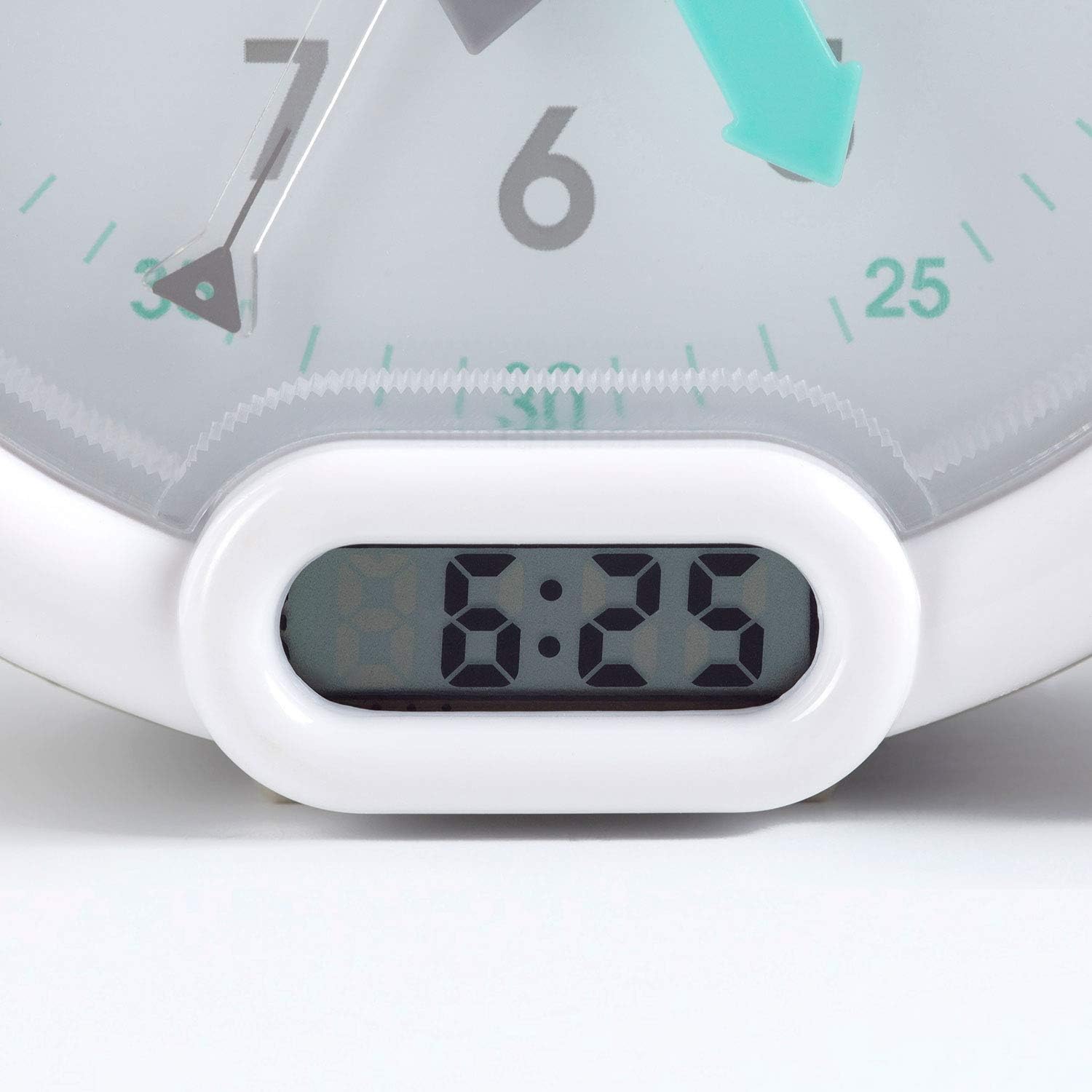
Setšoantšo sa 3: Digital time display.
Litaelo tsa Ts'ebetso
1. Ho beha Alamo
The alarm can be set to one of three sounds: chirping birds, cuckoo, or train. The alarm volume increases progressively.
- Locate the alarm setting controls on the back of the clock.
- Adjust the alarm time using the designated knob or buttons.
- Select your preferred alarm sound using the sound selection switch.
- Ensure the alarm is activated (ON position).
2. Using the Sleep Trainer
The sleep trainer feature visually indicates when it's time to sleep and when it's time to wake up.
- Sleeping Child Lit: When the image of the sleeping child is lit, it indicates that children should remain in bed and continue sleeping.
- Awake Child Lit: When the image of the awake child is lit, it signals that it is time to wake up.

Setšoantšo sa 4: Sleep indicator (sleeping child).

Setšoantšo sa 5: Awake indicator (awake child).
The sleep/wake times for this indicator are typically set independently from the alarm time, using specific controls on the back of the clock.
3. Snooze and Backlight Function
Press the large button on the top of the clock to activate the snooze function for two minutes. This button also provides a short glowing light, allowing the child to see the time during the night.

Setšoantšo sa 6: Clock with backlight activated.
Tlhokomelo
- Ho hloekisa: Hlakola oache ka lesela le bonolo, le omileng. U se ke ua sebelisa li-cleaner tse khorofo kapa li-solvent.
- Phetoho ea Betri: Replace the battery when the display dims or the alarm function becomes unreliable. Dispose of used batteries responsibly.
- Polokelo: If storing the clock for an extended period, remove the battery to prevent leakage.
Ho batle phoso
| Bothata | Lebaka le ka khonehang | Tharollo |
|---|---|---|
| Clock not turning on / display blank. | Betri e shoeleng kapa e kentsoeng hampe. | Check battery polarity. Replace battery. |
| Alamo ha e lle. | Alarm not set or turned off. Low battery. | Ensure alarm is set and activated. Replace battery. |
| Sleep/wake indicator not changing. | Incorrect sleep/wake time settings. | Verify and adjust the sleep/wake indicator settings. |
| Clock makes clicking noise. | Mechanical movement noise (common for analog clocks). | This may be normal for the analog mechanism. If excessively loud or new, contact support. |
Litlhaloso
| Lebitso: | Pabobo |
| Nomoro ea Mohlala: | KS0031 |
| Mmala: | Hlooho |
| Mofuta oa Pontšo: | Analoge, Dijithale |
| Boholo ba Sehlahisoa: | 6.3"W x 5.12"H |
| Mohloli oa Matla: | Battery Powered (1 battery included) |
| Boitsebiso: | Plastiki |
| Mofuta oa ho Beha: | Thaba ea Desktop |
| Boima ba Ntho: | 14.1 ounces (0.88 pounds) |
| Sebopeho se Ikhethileng: | Adjustable, Backlit, Sleep Trainer |
Boitsebiso ba Warranty
This Pabobo Kid Sleep Alarm Clock comes with a Warranty ea bophelo bohle. For details regarding warranty claims and coverage, please refer to the official Pabobo websebaka kapa ikopanye le tšehetso ea bareki.
Tšehetso ea Bareki
If you encounter any issues or have questions not covered in this manual, please contact Pabobo customer support for assistance.
- Ts'ehetso ea Marang-rang: Visit the official Pabobo websebaka sa marang-rang bakeng sa Lipotso Tse Botsoang Khafetsa le likhetho tsa ho ikopanya.
- Lengolo-tsoibila: [Insert Pabobo Support Email Here, if available]
- Mohala: [Insert Pabobo Support Phone Number Here, if available]
Please have your model number (KS0031) and purchase information ready when contacting support.