
1. Sehlahisoa Overview
This manual provides essential information for the proper installation, operation, and maintenance of your Black Box CAT6 550-MHz Solid Bulk Cable. The Black Box GigaTrue CAT6, 550-MHz Solid Bulk Cable (UTP) is engineered for high-performance data and digital video networks, supporting high-speed and high-bandwidth applications.
Likarolo tsa Bohlokoa:
- PVC-rated violet CMR flame-retardant PVC jacket and polyolefin insulation for safety and durability.
- Ideal for digital video, 100-Mbps TP-PMD, and 155-Mbps ATM networks.
- Tested to 550 MHz/1 Gbps transmission rate with 23-AWG construction.
- UTP 4-pair solid copper wire with cross-member for added strength and reduced crosstalk.
- High-speed cabling intended for Cat6 PVC Riser applications.
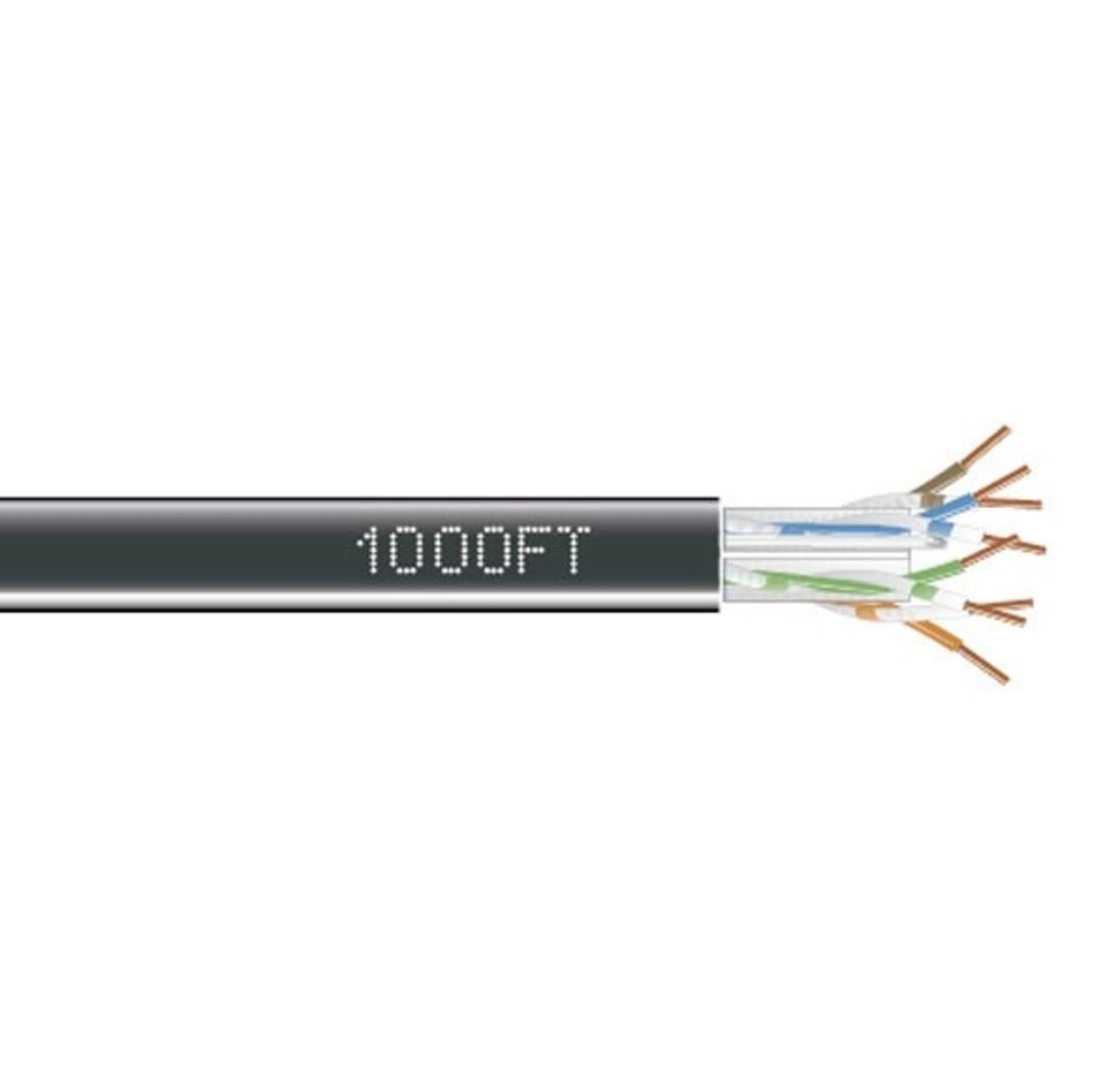
This image displays the Black Box CAT6 550-MHz Solid Bulk Cable, typically supplied in a pull-box for convenient deployment. The cable features a violet PVC jacket, indicating its CMR (Communications Multipurpose Riser) rating, suitable for vertical runs in building risers.
2. Ho kenya le ho seta
Proper installation is crucial for optimal performance of your CAT6 cable. Follow these guidelines:
2.1 Unboxing le tlhahlobo
- Carefully remove the cable from its pull-box.
- Inspect the entire length of the cable for any visible damage, such as cuts, kinks, or abrasions, before installation.
2.2 Cable Pulling
- When pulling the cable, avoid sharp bends, kinks, and excessive tension. Excessive force can damage the internal conductors and degrade performance.
- Maintain a minimum bend radius to prevent signal loss. For CAT6, this is typically four times the cable's outside diameter.
- The pull-box design facilitates smooth cable deployment, minimizing tangles.
2.3 Pheliso
- This bulk cable requires termination with appropriate RJ45 connectors or patch panels.
- Follow TIA/EIA-568-B wiring standards (T568A or T568B) for proper pinout configuration. Consistency in wiring standard across your network is essential.
- Ensure secure and consistent connections to maintain signal integrity. Use proper crimping tools for RJ45 connectors.
2.4 Maikutlo a Tikoloho
- This cable is suitable for both indoor and outdoor usage.
- The CMR (Communications Multipurpose Riser) flame-retardant PVC jacket makes it suitable for vertical runs in building risers.
3. Ts'ebetso
The Black Box CAT6 cable is designed for high-speed data networking. Once properly installed and terminated, it functions as a reliable medium for network communication.
- Sekhahla sa Phetiso ea Lintlha: Supports up to 1 Gigabit per second (Gbps) for distances up to 100 meters (328 feet).
- Hangata: Operates at frequencies up to 550 MHz, providing ample bandwidth for demanding applications.
- Lisebelisoa tse Lumellanang: Connects various network devices including computers, servers, routers, and switches.
- Lisebelisoa: Ideal for digital video transmission, 100-Mbps TP-PMD, and 155-Mbps ATM networks, as well as standard Ethernet applications (10BASE-T, 100BASE-TX, 1000BASE-T).
4. Tlhokomelo le Tlhokomelo
To ensure the longevity and consistent performance of your Black Box CAT6 cable, follow these maintenance guidelines:
- Tlhahlobo ea 'Mele: Regularly inspect exposed cable sections for any signs of physical damage, such as cuts, abrasions, or severe kinks. Address any damage promptly.
- Qoba Khatello ea Maikutlo: Do not place heavy objects on the cable or route it through areas where it can be pinched, crushed, or subjected to excessive tension.
- Tsamaiso ea Cable: Keep cable pathways clear and organized. Use cable ties or other management solutions to prevent tangles and accidental disconnections.
- Taolo ea Tikoloho: Ensure proper ventilation around cable runs, especially in enclosed spaces or conduits, to prevent heat buildup which can degrade cable performance over time.
- Tlhokomelo ea Sehokelo: Ensure all RJ45 connectors are clean and free of dust or debris. Re-seat connectors if an intermittent connection is suspected.
5. Ho rarolla mathata
If you encounter issues with your network connection, consider the following troubleshooting steps related to your CAT6 cable:
5.1 Ha ho na Khokahano ea Marang-rang
- Netefatsa Likhokahano: Ensure that both ends of the cable are properly terminated and securely connected to the network devices (e.g., computer, switch, router).
- Hlahloba Cable: Check the entire length of the cable for visible damage, such as cuts or severe kinks, which can interrupt signal transmission.
- Lekola ka Cable e 'ngoe: If possible, swap the cable with a known working cable to determine if the issue lies with the cable itself or other network components.
5.2 Lebelo le Butle la Marang-rang
- Se Sebeletsang Sesebediswa: Ensure all connected devices and network equipment (network cards, switches) support CAT6 specifications and are configured for Gigabit Ethernet.
- Bolelele ba Cable: Verify that the cable length does not exceed the maximum recommended distance for CAT6 (100 meters for 1 Gbps). Longer runs can lead to signal degradation.
- Tšitiso ea Motlakase (EMI): Check for potential sources of EMI near the cable run, such as power lines, fluorescent lights, or heavy machinery, which can interfere with data transmission.
- Boleng ba Cable: Ensure the cable was terminated correctly and that the conductors are not damaged or improperly twisted.
5.3 Kgokelo ya Nako le Nako
- Re-terminate Connectors: If connections are loose or appear faulty, re-terminate the RJ45 connectors on both ends of the cable.
- Check for Kinks/Bends: Ensure the cable is not severely kinked or bent, as this can cause intermittent signal loss.
- Port Issues: Test the cable in different network ports on your devices to rule out a faulty port.
6. Lintlha tsa Setegeniki
| Tlhaloso | Lintlha |
|---|---|
| Brand | Lebokose le Letšo |
| Mohlala | EYN870A-PB-1000 |
| Mofuta oa Cable | Ethernet, Cat 6 |
| Khafetsa | 550 MHz |
| Sekhahla sa Phetiso ea Lintlha | Ho fihlela ho 1 Gigabits ka Motsotsoana |
| Lekhalo | 23 AWG |
| Mofuta oa Mokhanni | Solid Copper Wire, UTP 4-pair |
| Thepa ea Jacket | PVC (CMR Flame-Retardant) |
| Mmala | Violet (Multicolor) |
| Bolelele | Maoto a 1000 (hoo e ka bang limithara tse 305) |
| Tšebeliso ea Ka hare/Kantle | Ka hare, Ka ntle |
| Lisebelisoa tse lumellanang | Computer, Server, Router, Switch |
| Mofuta oa Sehokelo | RJ45 (requires termination) |
| Ga tlhaloso Met | ANSI, EIA, IEC, ISO, TIA |
| UPC | 700736522912 |
| Boima ba Ntho | 0.01 Ounces (per unit, bulk weight will vary) |
7. Tiisetso le Tšehetso
7.1 Boitsebiso ba Tiisetso
According to the manufacturer's specifications, this product comes with Ha ho Warranty. Ke kopa review your purchase documentation for any specific retailer or distributor warranty policies that may apply.
7.2 Tšehetso ea Theknoloji
For technical assistance, installation guidance, or further inquiries regarding the Black Box CAT6 550-MHz Solid Bulk Cable, please contact Black Box customer support directly. Refer to the official Black Box websaete (www.blackbox.com) for the most current contact information, including phone numbers, email addresses, and support resources.