
1. Selelekela
The Precor 9.35 Premium Series Treadmill is designed to provide a smooth and fluid exercise experience. This manual provides essential information for the safe and effective use, setup, operation, and maintenance of your treadmill. It incorporates advanced design and technical innovations to support your natural stride and cushion impact on joints.
2. Boitsebiso ba Bohlokoa ba Tšireletseho
Tlhokomeliso:
- Before beginning any fitness program, consult your physician for a thorough physical examination.
- Seek advice from your physician to learn the target heart rate appropriate for your fitness level.
- Do not allow children, or those unfamiliar with the operation of this equipment, on or near it.
- Read the product owner's manual or consult a qualified instructor before operating this equipment.
- Before exercising, attach the safety clip to your clothing.
- Do not stand on the belt while starting the treadmill.
- Do not attempt to turn around on the moving belt.
- Keep hands and clothing away from the belt and rear roller.
- Improper use of this equipment can result in serious injury.
- If you feel pain, faintness, or dizziness, stop exercising immediately.
3. Kopano le Setupo
The Precor 9.35 Treadmill requires assembly. While the main belt housing comes pre-assembled, some components like the uprights, crossbar, and display console need to be attached. A Phillips head screwdriver and included Allen wrenches are the only tools required.
It is recommended to have a second person assist with assembly, especially when attaching the display console and moving the unit due to its weight (335 lbs). Consider professional installation for convenience and to ensure proper setup.
3.1 Ho phutholla le ho bea
Due to the treadmill's size and weight, carefully plan its placement before unpacking. Ensure sufficient space around the unit for safe operation and maintenance. The product dimensions are 79"D x 34"W x 56"H.
3.2 Mehato ea Kopano
- Position the main belt housing in its desired location.
- Attach the uprights one at a time using the provided Allen wrench.
- Place the arm rest/crossbar piece on top of the uprights and tighten with the Allen wrench.
- Plug in the display console, set it on top of the crossbar, and tighten with the Allen wrench.
- Screw on the water bottle holders using the Phillips head screwdriver.
Refer to the detailed assembly instructions provided in the separate owner's manual for visual guides and specific torque requirements.
4. Likarolo tsa Bohlokoa le Theknoloji
4.1 Ground Effects Impact Control (GEIC)
This patented system features shock absorbers at the front of the deck to cushion impact, reducing stress on joints. A pivot point at the back supports a full range of motion and provides a solid surface for an easy push-off, minimizing fatigue.
4.2 Integrated Footplant Technology (IFT)
IFT continuously registers your foot speed up to 710 times per second, making minute adjustments to the belt speed. This technology perfectly simulates moving over a stationary surface, matching the natural movements of your stride and reducing joint and shoe discomfort common with other treadmills.
4.3 Wide Running Surface and Reversible Deck
The treadmill features a premium belt with a wider surface (56 inches long x 22 inches wide) for ample room to move. The deck is reversible, effectively doubling its lifespan.


5. Litaelo tsa Ts'ebetso
5.1 Khomphutha e Felletsengview
The easy-to-use console provides quick access to various functions and displays workout data. It features a large LCD display (7 inches) showing calories burned, heart rate, program details, incline, speed, time, and distance.
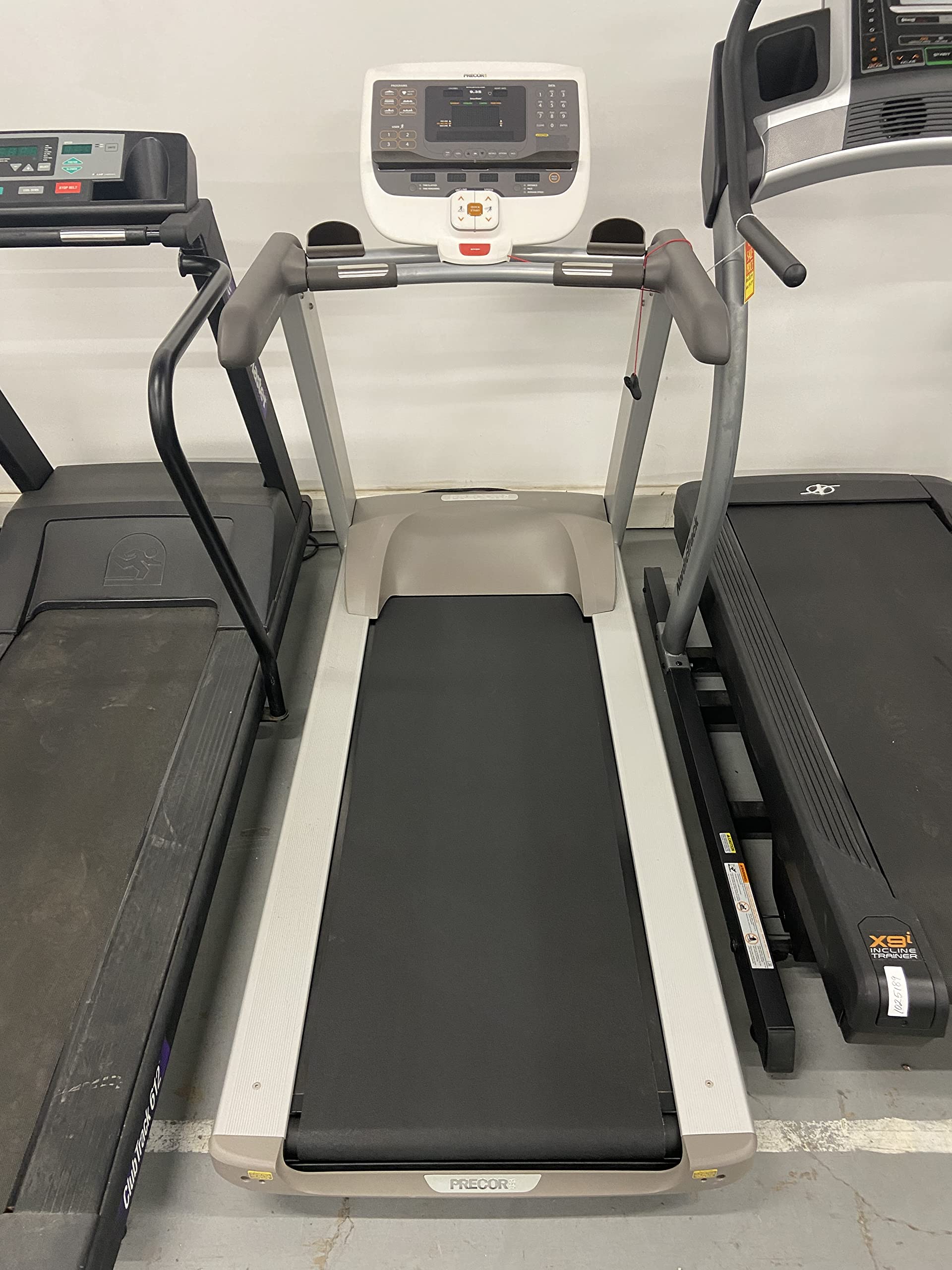
5.2 User IDs and Programs
The console supports multiple user IDs, allowing personalized workout tracking. Choose from 23 pre-programmed workouts, including 1- and 2-mile courses, 5k/10k courses, 5 heart rate programs, 2 custom programs, 1 manual, 1 walk, and 1 weight loss program. You can adjust settings during a program, and the treadmill will remember your preferences for future segments.
5.3 Incline and Decline
Adjust the incline up to 15% to simulate uphill training. The 9.35 model also uniquely offers a -2% decline, providing a more varied and challenging workout experience.
5.4 Tekolo ea Lebelo la Pelo
Monitor your heart rate using the handheld sensors on the handlebars or the included wireless chest strap. The SmartRate feature helps you stay within your target fat burn, cardio, or peak target zones for effective training.
5.5 Pacer Feature
The Pacer feature allows you to track your personal best records and challenge yourself to beat or maintain previous paces, enhancing motivation and performance.
5.6 Likarolo tsa Polokeho
The treadmill includes a password protect feature to prevent unintended use, ensuring safety, especially in households with children.
6. Litlhaloso tsa Sehlahisoa
| Sebopeho | Tlhaloso |
|---|---|
| Brand | Precor |
| Nomoro ea Mohlala | PHFRT1210211EN |
| Litekanyo tsa Sehlahisoa (D x W x H) | 79"D x 34"W x 56"H |
| Boima ba Ntho | 335 Liponto |
| Lintho tse bonahalang | Alloy Steel |
| Lebelo le Leholo | 12 Maele ka Hora |
| Bonyane Lebelo | 0.5 Maele ka Hora |
| Maximum Incline Percentage | 15% |
| Minimum Decline Percentage | -2% |
| Maximum Horsepower | 3 Matla a Lipere |
| Mofuta oa Pontšo | LCD (7 Inches) |
| Palo ea Mananeo | 23 |
| Metrics e lekantsoeng | Sekhahla sa Pelo |
| Keletso e phahameng ea Boima | 350 Liponto |
| Kenyellelitsoe Likaroloana | Heart Rate Monitor (Chest Strap) |
| Ho Hlokahala Kopano | Ee |
7. Tlhokomelo
Regular maintenance ensures the longevity and optimal performance of your Precor 9.35 Treadmill. Always unplug the treadmill before performing any maintenance.
7.1 Ho hloekisa
- Wipe down the console and other surfaces with a damp lesela ka mora tshebediso ka nngwe ho tlosa mofufutso le lerole.
- Qoba ho sebelisa lihlatso tse matla kapa li-solvent tse ka senyang qetello.
7.2 Belt and Deck Care
- Inspect the running belt regularly for wear and tear.
- Ensure the belt is properly tensioned and centered. Refer to the full owner's manual for adjustment procedures.
- The reversible deck extends the life of your treadmill; consult a service professional for deck flipping.
7.3 Tlhahlobo e Akaretsang
- Nako le nako hlahloba linate, liboutu le likurufu ho bona hore na li tiile.
- Netefatsa hore thapo ea motlakase ha ea senyeha 'me e hokahantsoe hantle.
8. Ho rarolla mathata
If you encounter issues with your Precor 9.35 Treadmill, refer to the following common troubleshooting tips. For persistent problems, contact Precor customer support.
8.1 Treadmill Not Starting
- Ensure the power cord is securely plugged into a working outlet and the treadmill.
- Check that the safety key is correctly inserted into the console.
- Verify that the main power switch (usually located near the power cord entry) is in the 'ON' position.
8.2 Melumo e sa Tloaelehang
- Grinding or Squeaking: This could indicate a need for belt lubrication or adjustment, or a worn roller. Refer to the owner's manual or contact service.
- Ho lla: May be caused by a loose running belt or an issue with the motor. Stop use and investigate.
8.3 Error Codes (e.g., Error 27)
Error codes on the display indicate specific issues. For example, 'Error 27' has been reported to relate to belt or deck issues. If an error code appears:
- Note the error code displayed.
- Consult the full owner's manual for the specific meaning and recommended solution for that code.
- If the issue persists after following manual instructions, contact Precor customer support or a certified technician.
9. Boitsebiso ba Tiisetso
The Precor 9.35 Premium Series Treadmill comes with a comprehensive warranty:
- Frame: Warranty ea bophelo bohle
- Likarolo: Warranty ea Lilemo tse 10
- Mosebetsi: Warranty ea Lilemo tse 1
Please retain your proof of purchase for warranty claims. For detailed terms and conditions, refer to the official warranty document included with your product or visit the Precor Store.
10. Livideo tsa Lihlahisoa
10.1 Precor Treadmill 9.35 Overview
Video ena e fana ka tlhaloso e qaqilengview of the Precor 9.35 Treadmill, highlighting its key features and benefits for an enhanced home workout experience.
10.2 How to Choose a Treadmill
Learn essential tips and considerations for selecting the right treadmill to meet your fitness goals and home environment.
11. Tšehetso ea Bareki
For further assistance, technical support, or service inquiries, please contact Precor customer support through their official websebaka sa marang-rang kapa tlhaiso-leseling e fanoeng ka har'a sephutheloana sa sehlahisoa sa hau.